Practices running on MedOS
 The Mind VedaMental health · New Delhi
 Gupta Computerised Homeopathy ClinicHomeopathy · New Delhi
 Movement Physio & FitnessPhysiotherapy & fitness · Phnom Penh, Cambodia
A snapshot of your entire practice.
One record
Every surface reads and writes the same patient record.
Patient record
From first booking to follow-up
Visits, last seen, next appointment, outstanding balance, prescriptions and activity, on one record. Nothing is re-entered at the desk.
Consultation
Notes written against the visit
Session notes with headings, lists and tables, and the prescription beside them, autosaved as the practitioner writes, with previous notes one click away.
Patient portal
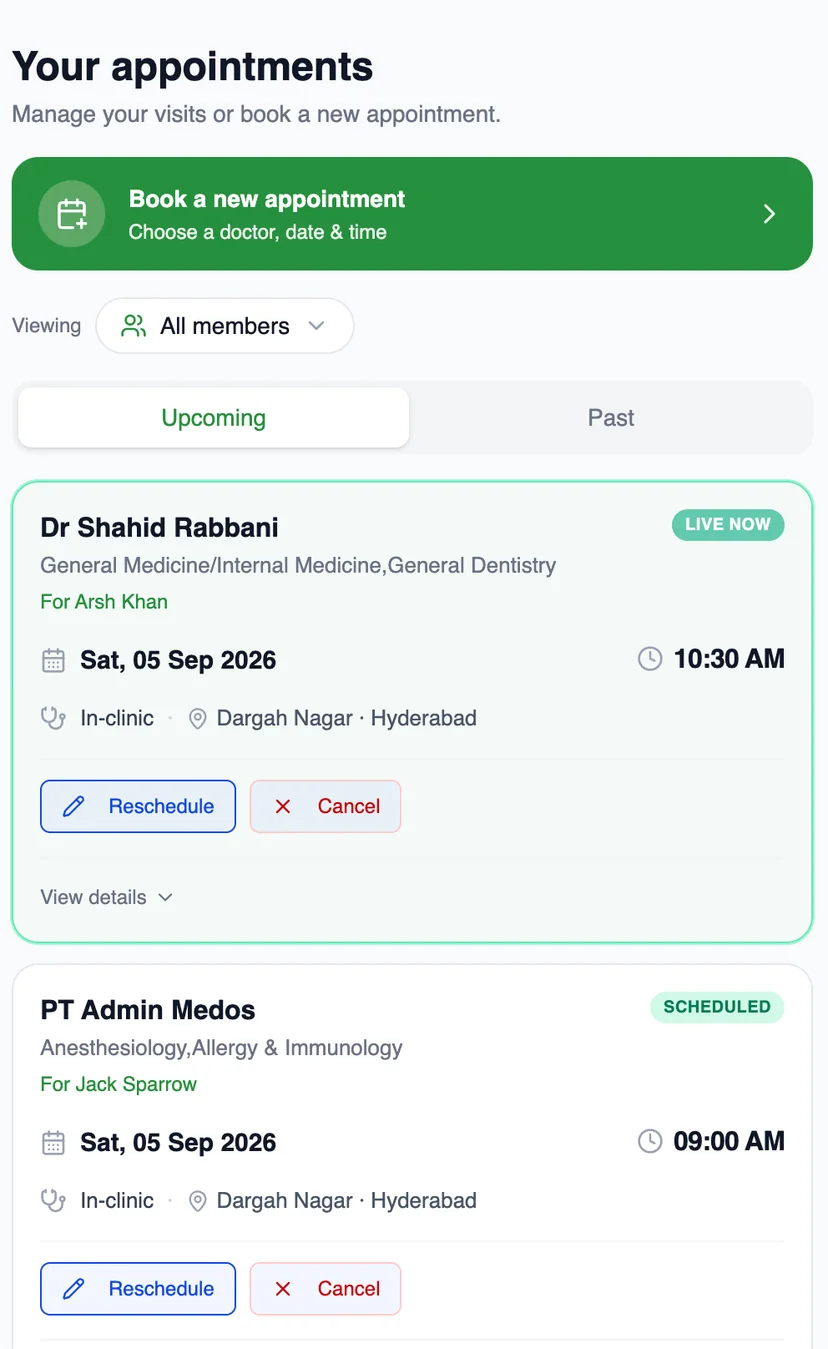
Patients see the same record
Their appointments, live status, reschedule and cancel, on their own phone, OTP-verified and branded to your clinic.
Front desk
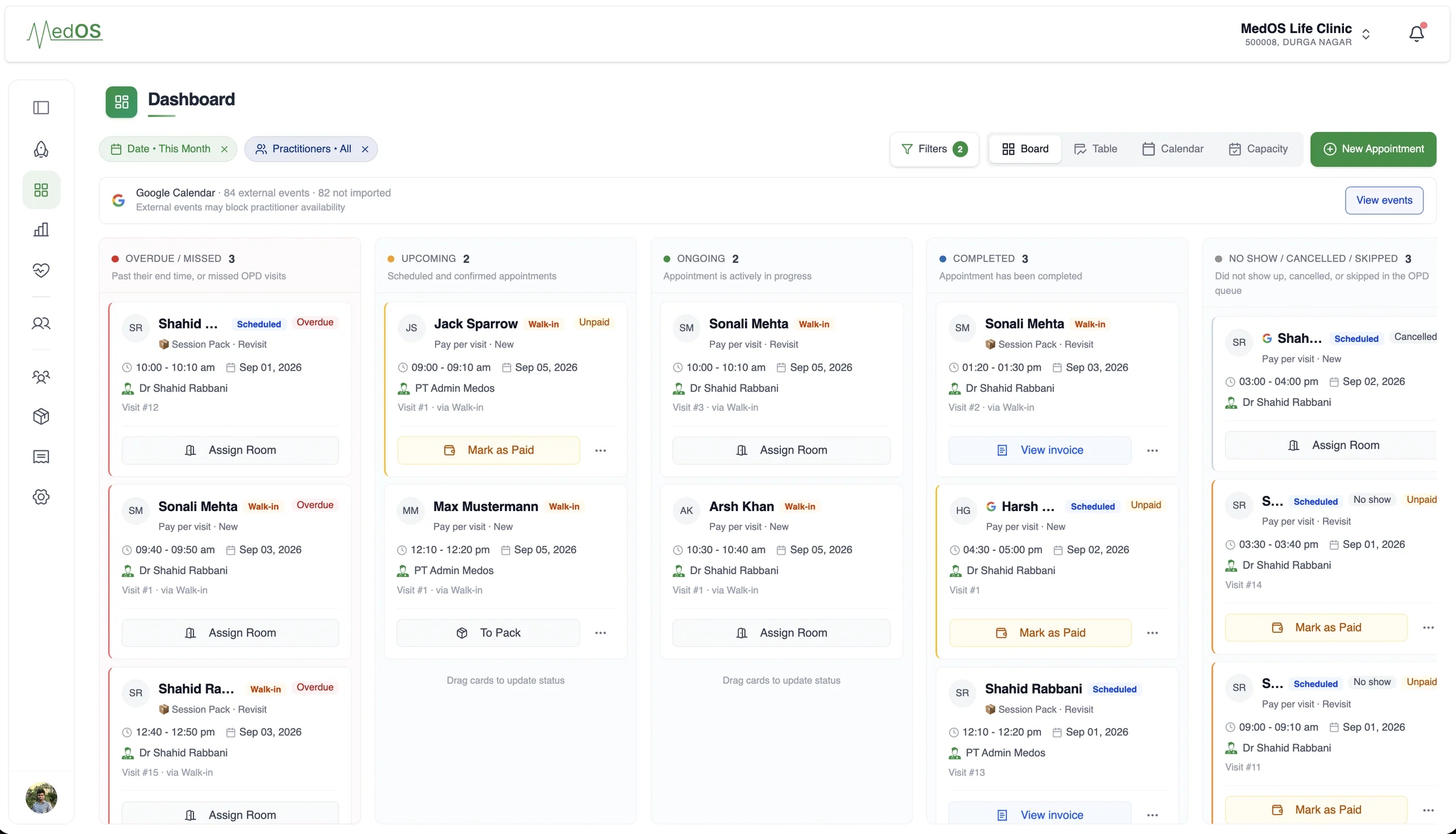
The board knows who is in the room
Overdue, upcoming, ongoing and completed, per practitioner, with payment state on every card.
Recurring care
Session packs, sold in the same flow
Prepaid packs with validity and remaining sessions, chosen by the patient at booking and drawn down visit by visit.
Why MedOS exists
Healthcare practices don’t need more disconnected tools. They need their workflows to work together.
Bookings on the phone. Reminders on WhatsApp. A register at the desk, a calendar on Google, a payment QR at reception, packages in a notebook. Each one works. None of them know about the others, so people carry the workflow between them from memory.
MedOS is the layer underneath. A booking lands on the right practitioner’s calendar. An arrival shows up at the front desk. A payment is verified against the visit it belongs to. The follow-up goes out from the same record.
- Phone callsbookings and reschedules
- WhatsAppreminders and questions
- Google Calendareach practitioner’s own
- Appointment registerwho is coming today
- Clinic payment QRat reception
- Package trackingsessions remaining, in a notebook
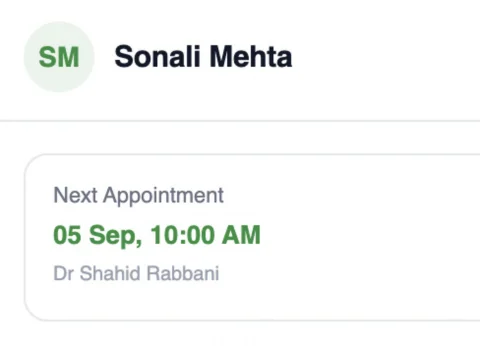
- Front desk
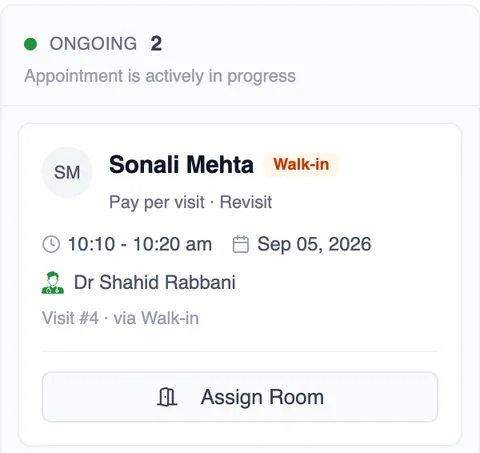
- Visit ongoing
- Calendar
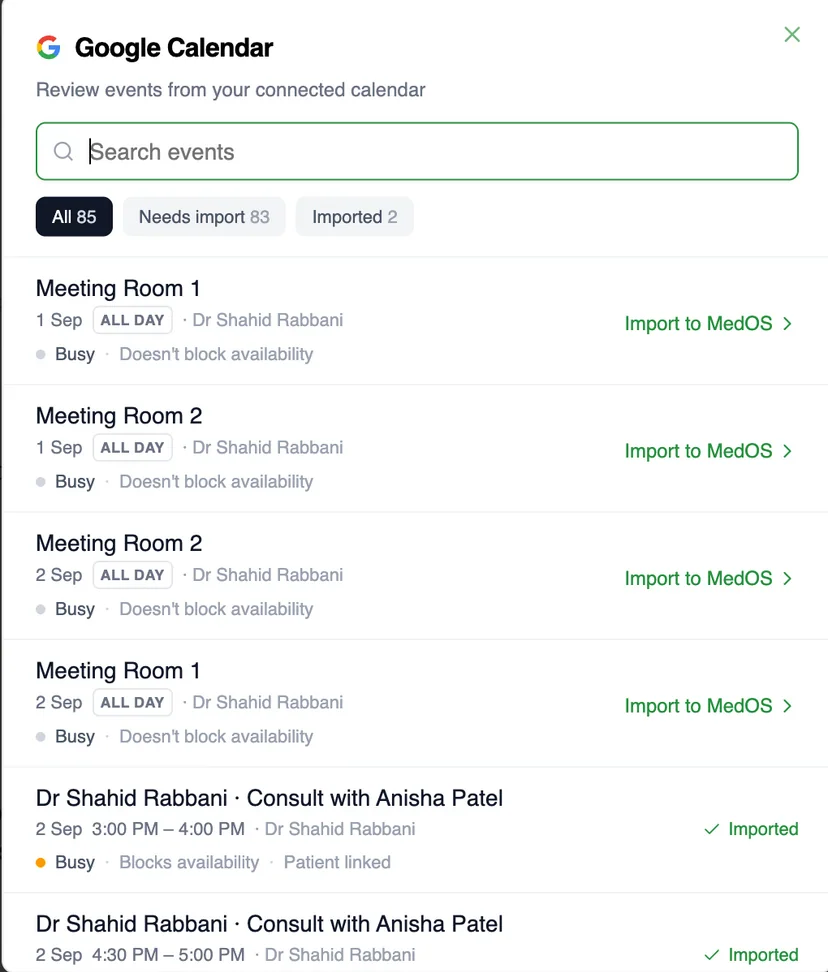
- Google Calendar in sync
- Record
- Next visit on the record
The tools stay. The workflow becomes connected.One system of record underneath
Patient journey
One patient. One connected system.
Eight moments in every visit. At each one the patient touches one MedOS surface, the practice touches another, and the same record moves forward. This is what “operating system” means in practice.
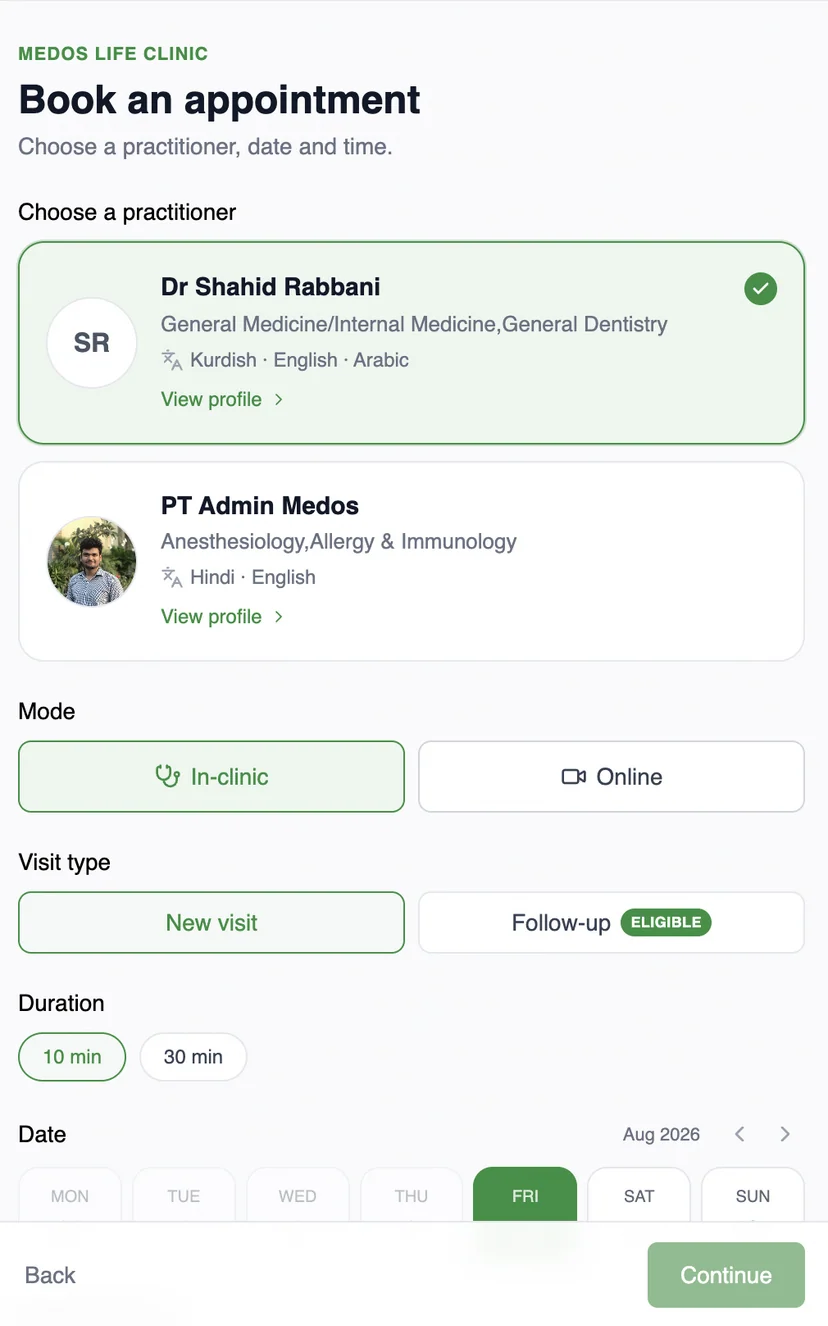
Finds the clinic on its own website, a shared link, or a QR at the door. The booking widget is MedOS.
Nothing to set up on the day. The booking lands in the upcoming column of the board.
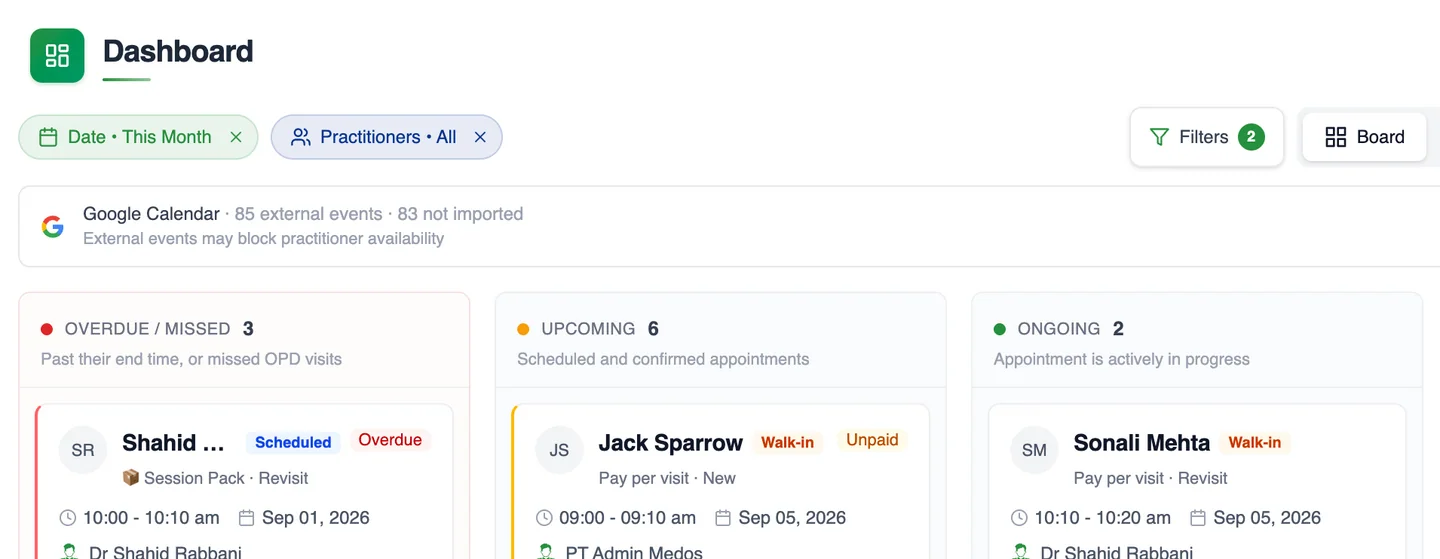
See MedOS at work
Clinic management software connecting every workflow in your practice.
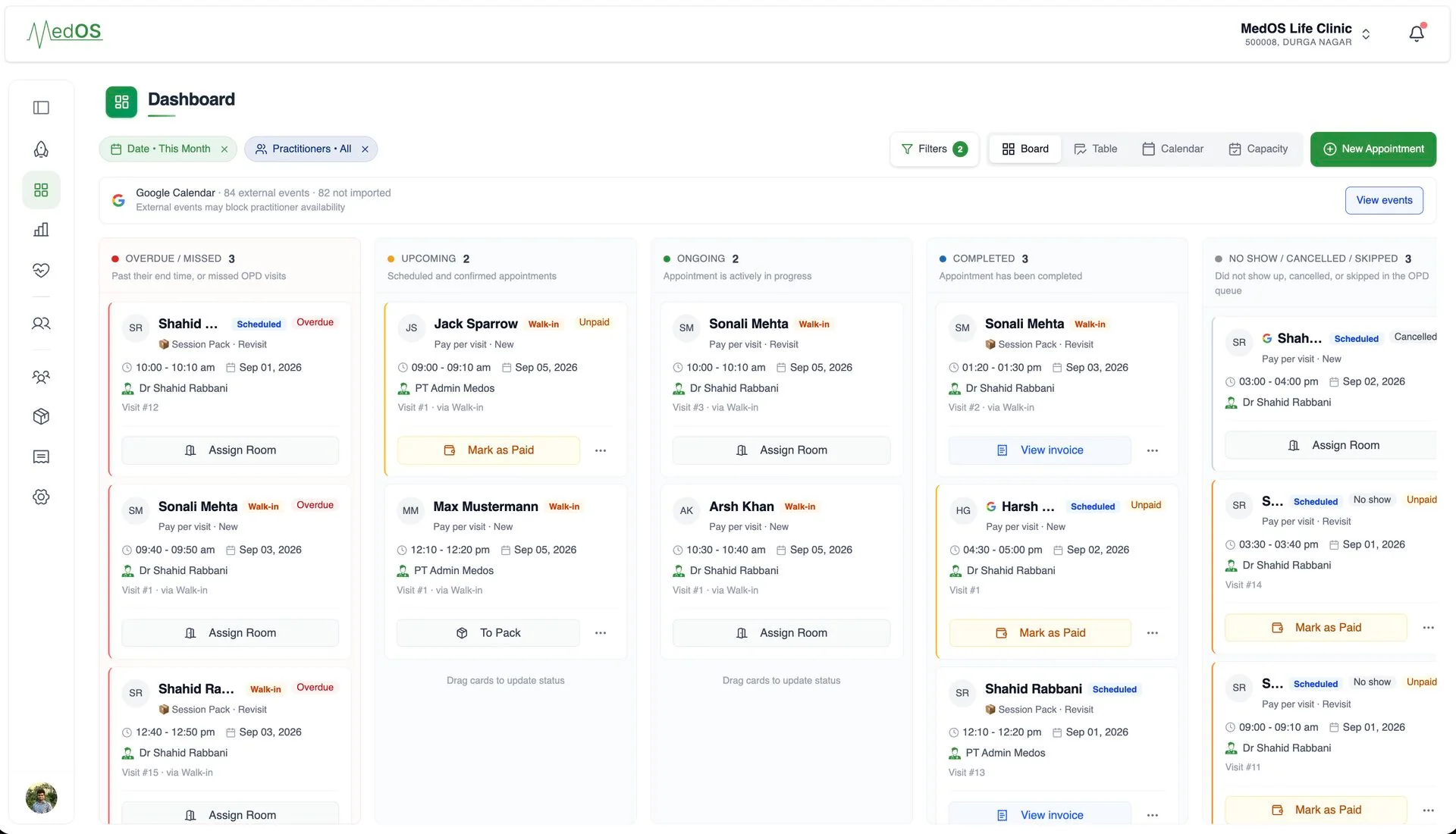 MedOS · product walkthrough
No migration
Your website stays. Your operations get better.
You do not rebuild your digital presence to run on MedOS. Patients keep arriving through the site, the link or the QR you already share. Every route lands in the same patient experience, and every booking lands in the same operations.
- 01
Embed the booking widget
One script tag adds booking to the site you already have, themed to match it. This is the only part that lives on your website.
- 02
Share a booking link
No site changes at all. Put the link in your Google Business Profile, on WhatsApp, or in an Instagram bio.
- 03
Print the QR
At the door, on the desk, on a flyer. It opens the same booking and check-in flow.
OTP-verified, branded to your clinic, on the patient’s own phone. Self check-in, payment and Google Meet links are part of the same flow.
Google Calendar
Your calendar and MedOS stay in sync.
Connect the Google account your practice already uses, and let each practitioner connect their own. Appointments go out to Google, busy events come in to block availability, and anything changed in Google is flagged for a decision, which prevents double bookings and the duplicate typing that comes with running two calendars.
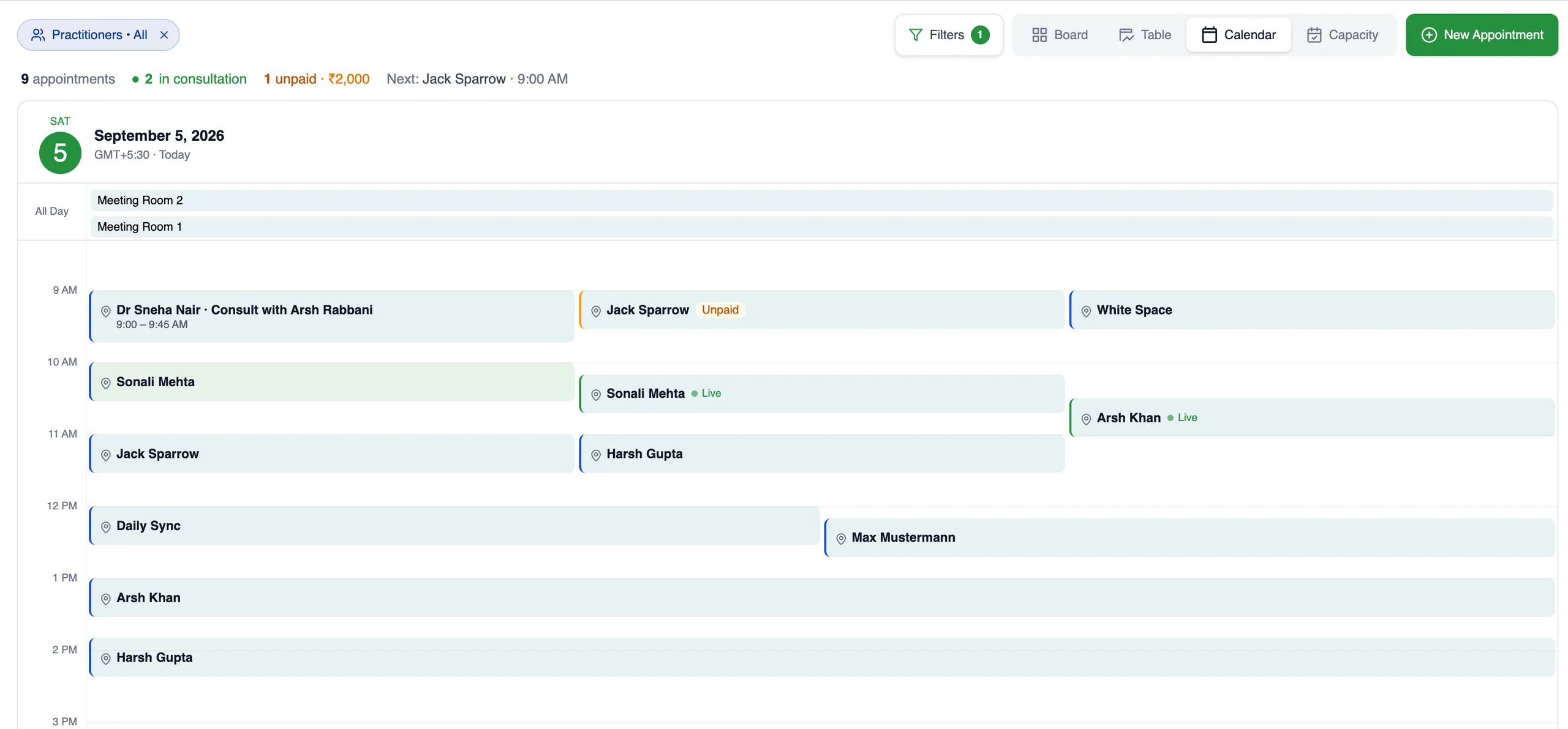
Each practitioner connects their own Google account, read-only, so their busy events block availability. Appointments reach Google through the workspace account.
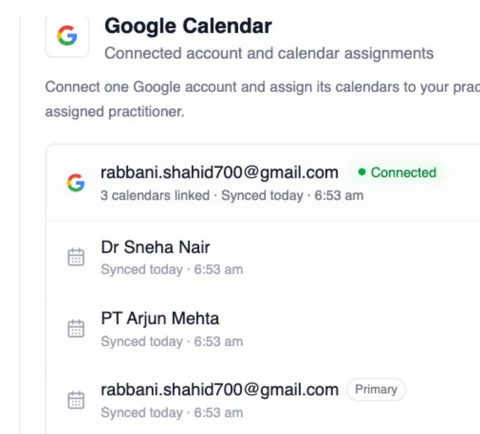
One workspace account for the practice. One read-only connection per practitioner.
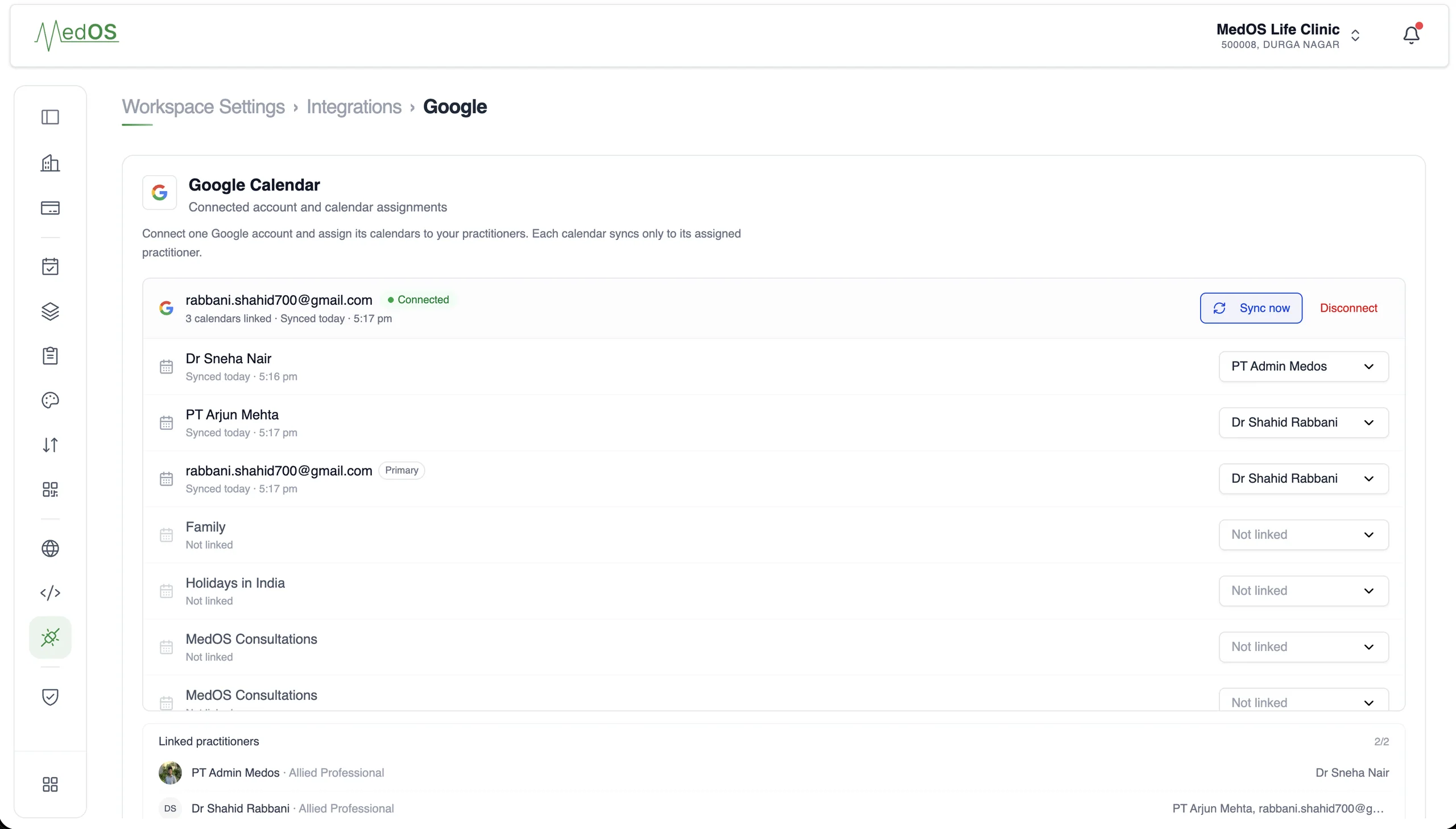
- Two connections
- A workspace account sends appointments out to Google. Each practitioner connects their own Google account, read-only, so their events come in.
- Availability
- Events on a practitioner’s Google Calendar block their availability in MedOS, so patients only see slots that are actually free.
- Appointments
- Appointments made in MedOS appear on the workspace Google Calendar, with the patient invited when you switch that on.
- Updates
- Rescheduled and cancelled appointments update the Google event. Nobody types the same visit twice.
- Attention state
- If an event is moved or removed in Google, MedOS marks the appointment for a decision. It keeps its original time until someone chooses.
Self check-in
Give patients a faster way into your practice.
Patients put themselves on the board before they reach the reception desk. Print the self check-in QR for the door, connect it to your website, or send the link. Patients verify who they are with a one-time code, then book a slot or join the day’s queue. The front desk sees them appear.
- Your websiteA self check-in button on the site you already have
- QR at the doorPrintable, and replaceable if a copy goes missing
- Shared linkSent on WhatsApp, or pasted anywhere
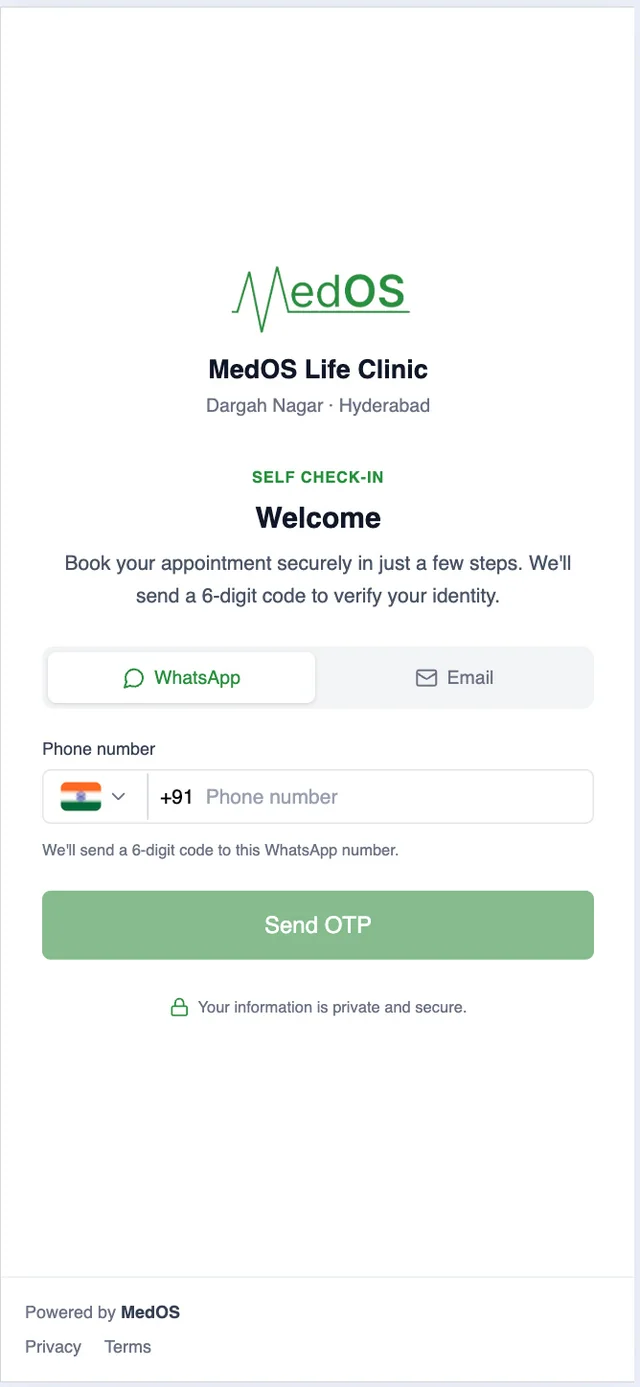
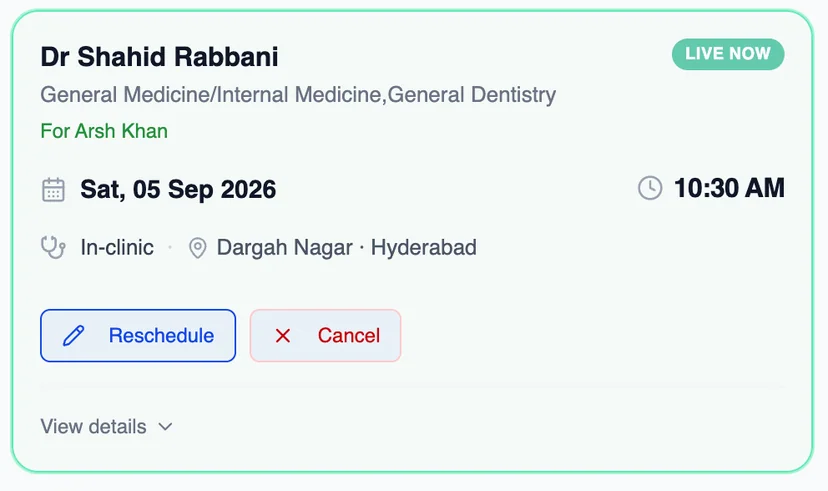
The booking lands on the board as a scheduled visit or a queue token. Nobody re-enters a name at the desk.
Payments
Collect payment the way your clinic already does.
Online through Razorpay, or with the payment QR your clinic already has at reception. Both are part of the same patient payment step, and both settle in the clinic’s own account.
Card, UPI or netbanking, at booking.
The patient chooses to pay online and completes checkout with Razorpay. The visit is marked paid the moment Razorpay confirms it. MedOS stores your gateway credentials, not your money.
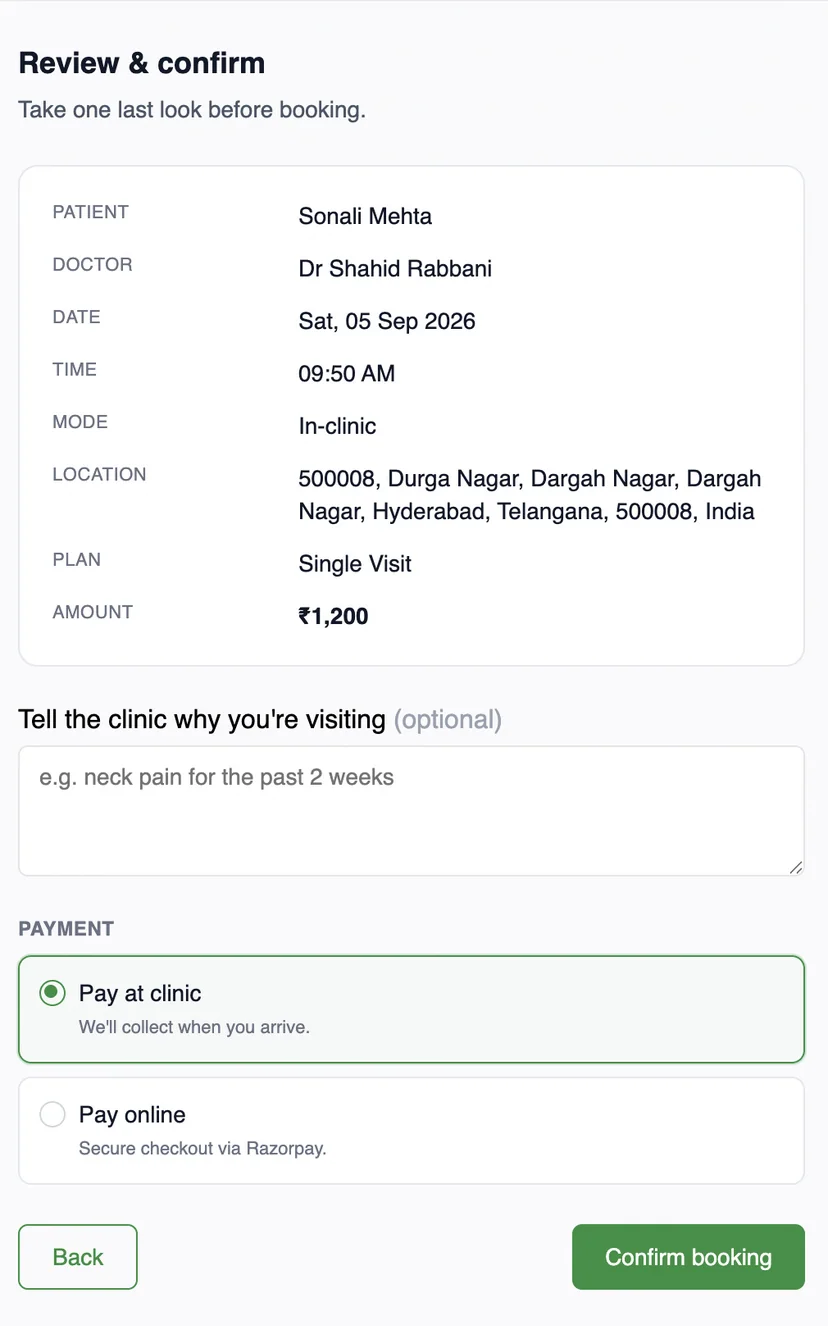
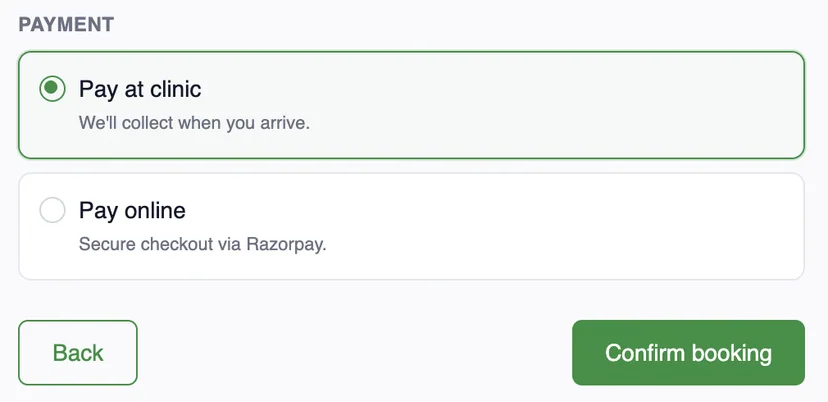
Upload once. Patient pays. Staff verify.
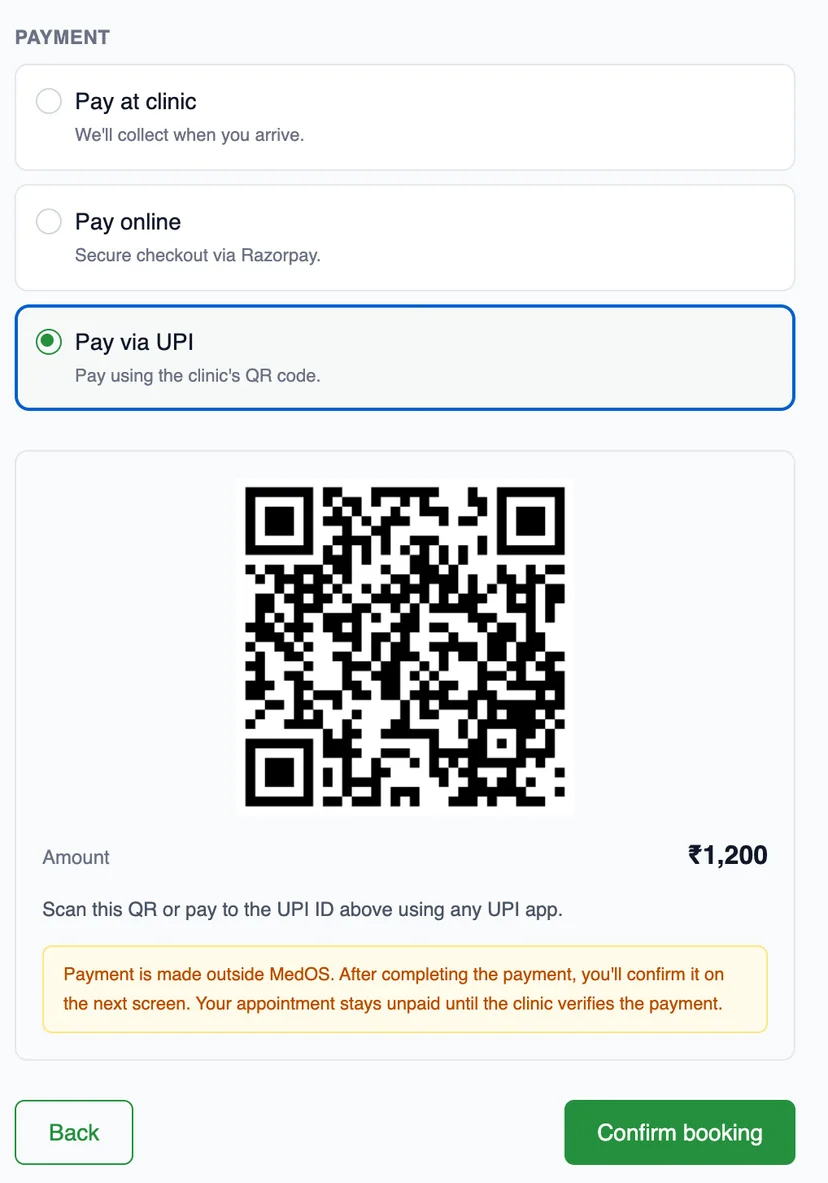

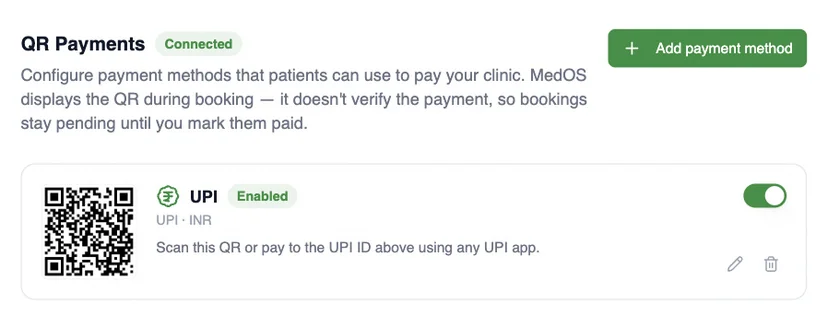
MedOS displays the QR. It does not verify the scan. The visit stays pending until staff mark it paid.
- 01Upload
Add your clinic’s payment QR or UPI ID once, in settings.
- 02Patient pays
Patients scan it at the payment step with any UPI app and confirm.
- 03Staff verify
The front desk marks the visit paid once the money has arrived.
Locations and markets
Go global with MedOS.
Run locations anywhere in the world, each in its own timezone and currency. Bill international patients in US dollars. Keep the whole practice on one MedOS workspace.
- Any timezone
- Each location keeps its own timezone. Appointments, reminders and the board show the time that is local to it.
- Local currency per location
- Each location sets its own fees and bills in its own currency. Invoices and the patient payment step follow it.
- International patients in US dollars
- Patients booking from outside a location’s country are quoted and billed in USD, so the price is clear before they confirm.
- One workspace
- Practitioners, patients, the board and the records stay together. Locations are a setting, not a separate system.
- INMumbaiAsia/Kolkata · INR₹1,200Configured
- AEDubaiAsia/Dubai · AEDAED 250Configured
- GBLondonEurope/London · GBP£120Configured
- $International patientsOutside the location’s countryUSDBilled in dollars
- Practitioners
- shared
- Patients
- one record
- Board
- across locations
Session packs
Built for how recurring care actually works.
Rehab, therapy and wellness happen over a course of visits, not one appointment. Most clinic software bills each visit as if it were the only one. MedOS treats the programme as the unit.
Physiotherapy · Psychology · Rehabilitation · Nutrition · Wellness
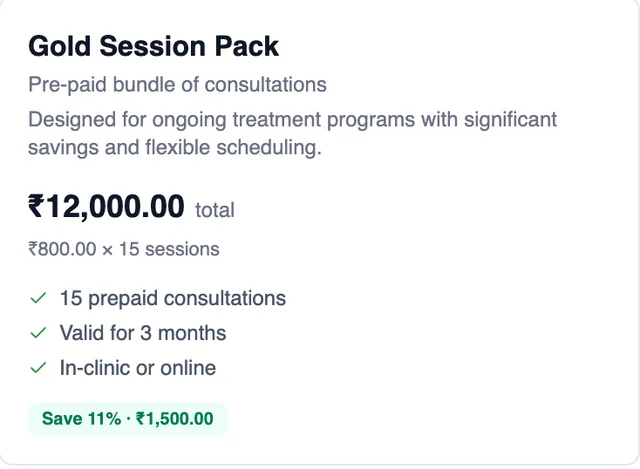 SoldChosen and paid at booking
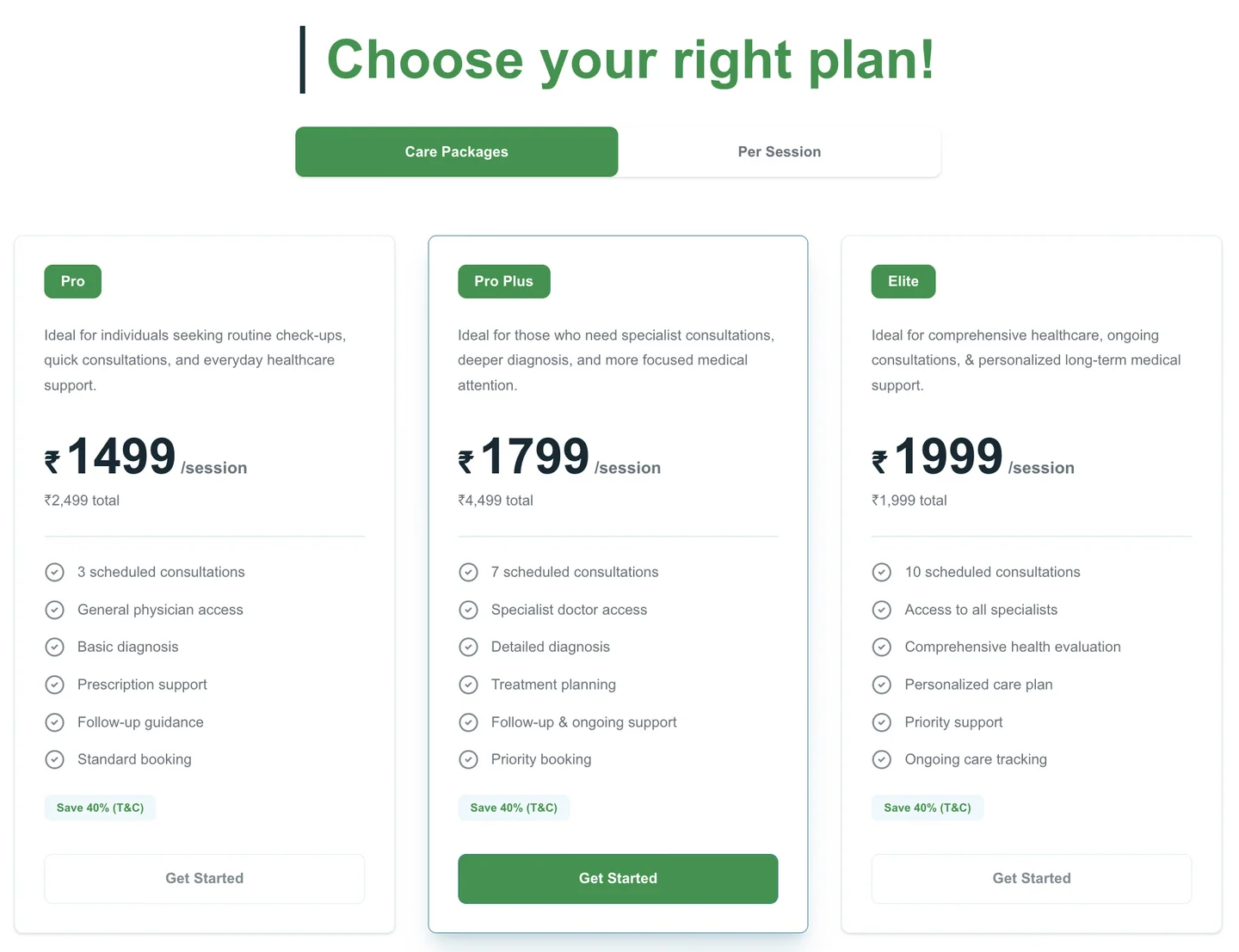
Priced per pack, with validity and the number of consultations shown before the patient commits.
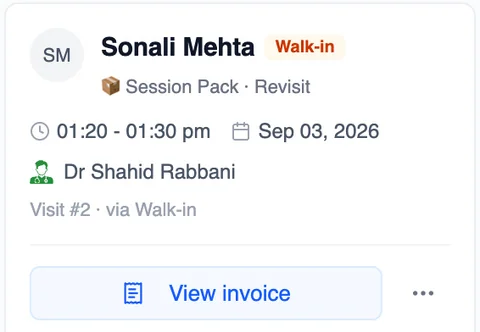 UsedEach visit drawn from the pack
The board card says Session Pack · Revisit. No separate invoice for the visit.
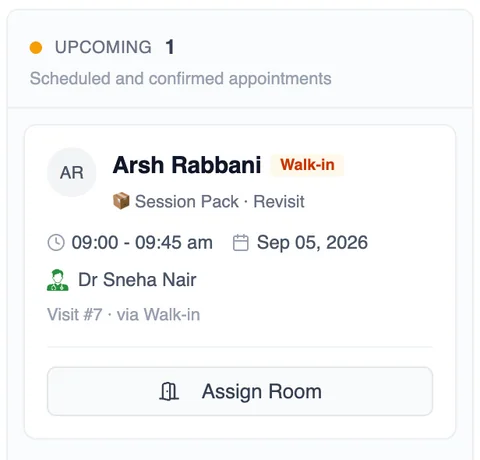 NextThe next session, on the board
The next pack visit sits in the upcoming column. The patient sees the same date on their phone.
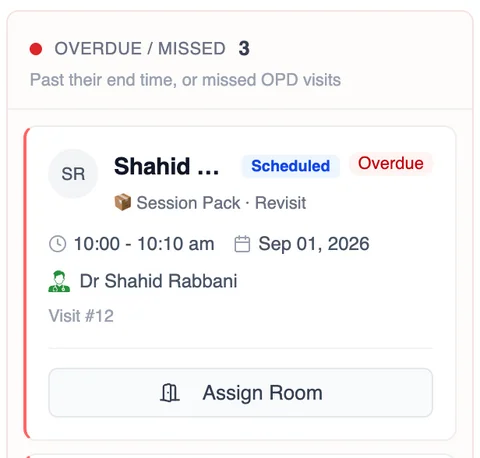 OverdueA missed visit surfaces on the board
A pack visit that passes its time lands in the overdue column like any appointment. Expiring packs are listed in Performance.
Packs are chosen in the same booking flow the patient already uses.
The patient picks a care package or a single session before confirming. Every visit after that is drawn from the pack, and both the practice and the patient see what is left.
- Prepaid sessions
- Remaining sessions and expiry
- Visits booked against the pack
- Pack history on the record
Operating layers
One system. Five layers. One connected record.
This is the whole of what MedOS runs today. Each layer reads and writes the same record, which is why a booking, an arrival, a note and a payment never need to be re-entered.
- 01
Patient access
How patients reach you and identify themselves, from your own website or a link.
Booking widget · shareable link and QR · OTP-verified self-service · self check-in · queue status
- 02
Care operations
Everything the practitioner writes, prescribes and files, against one patient record.
Patient records · consultation notes · prescriptions · documents · follow-up visits
- 03
Practice operations
Who is working, when, where, and who is in the room right now.
Scheduling and availability · Google Calendar sync · appointment board and queue · roles and permissions · multi-location
- 04
Financial operations
Getting paid for the visit, and for the course of visits, without a separate ledger.
Razorpay · clinic QR with staff verification · session packs · per-location currency · pharmacy invoices and inventory
- 05
Digital care
The parts of care that happen on the patient’s phone rather than at the desk.
Google Meet teleconsultation · WhatsApp reminders · online booking and payment
Every capability listed here exists in MedOS today.
Performance
Know what is happening in your practice.
A practice owner shouldn’t have to piece together bookings, attendance, revenue and follow-up to understand how the practice is doing. MedOS brings the operational picture into one place, so decisions are based on what is actually happening.
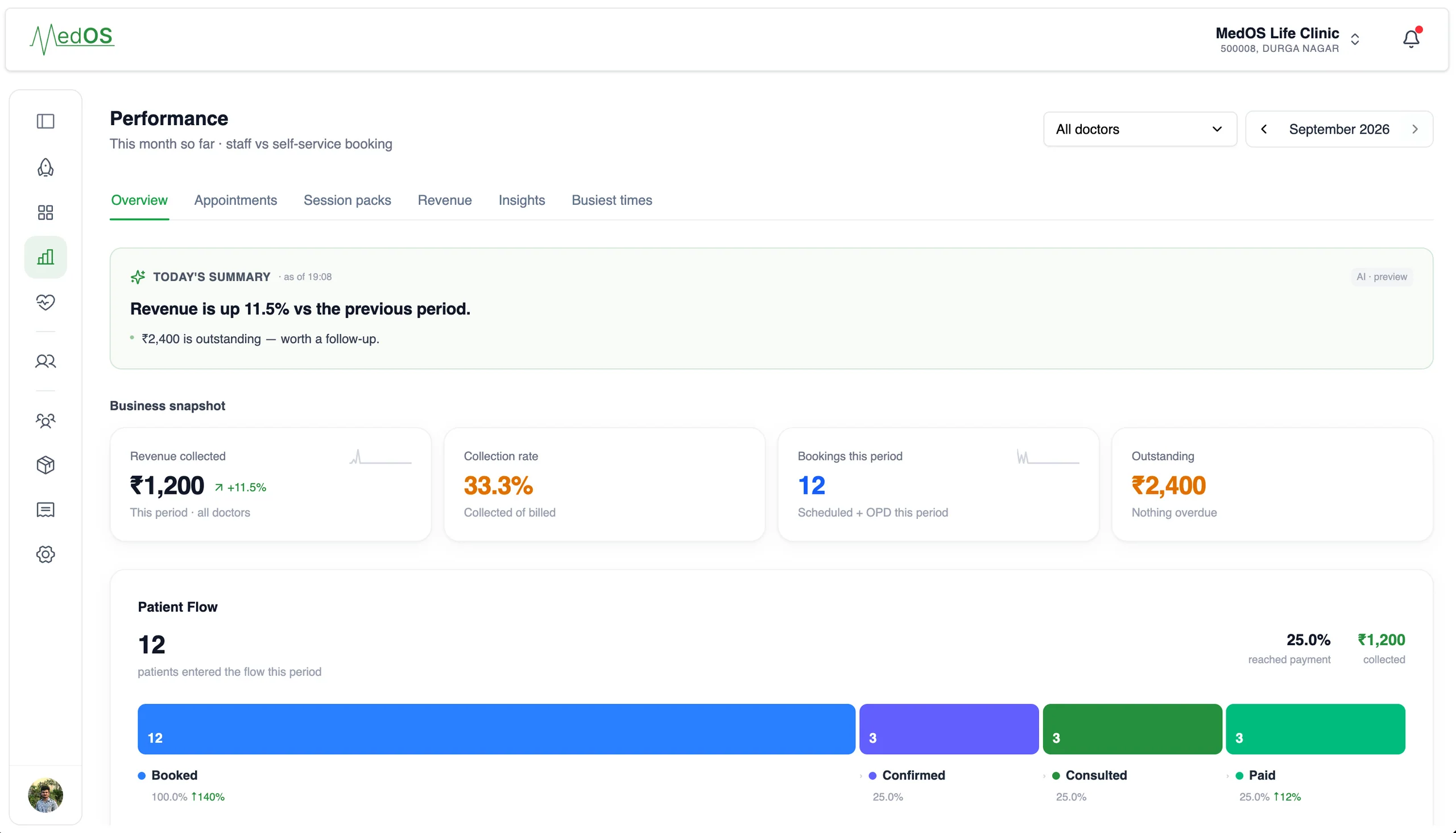
This month so far: today’s summary, revenue collected, collection rate, bookings and the patient flow from booked to paid.
- Bookings and attendance
- Bookings this period, staff versus self-service, and the patients who confirmed, consulted and paid.
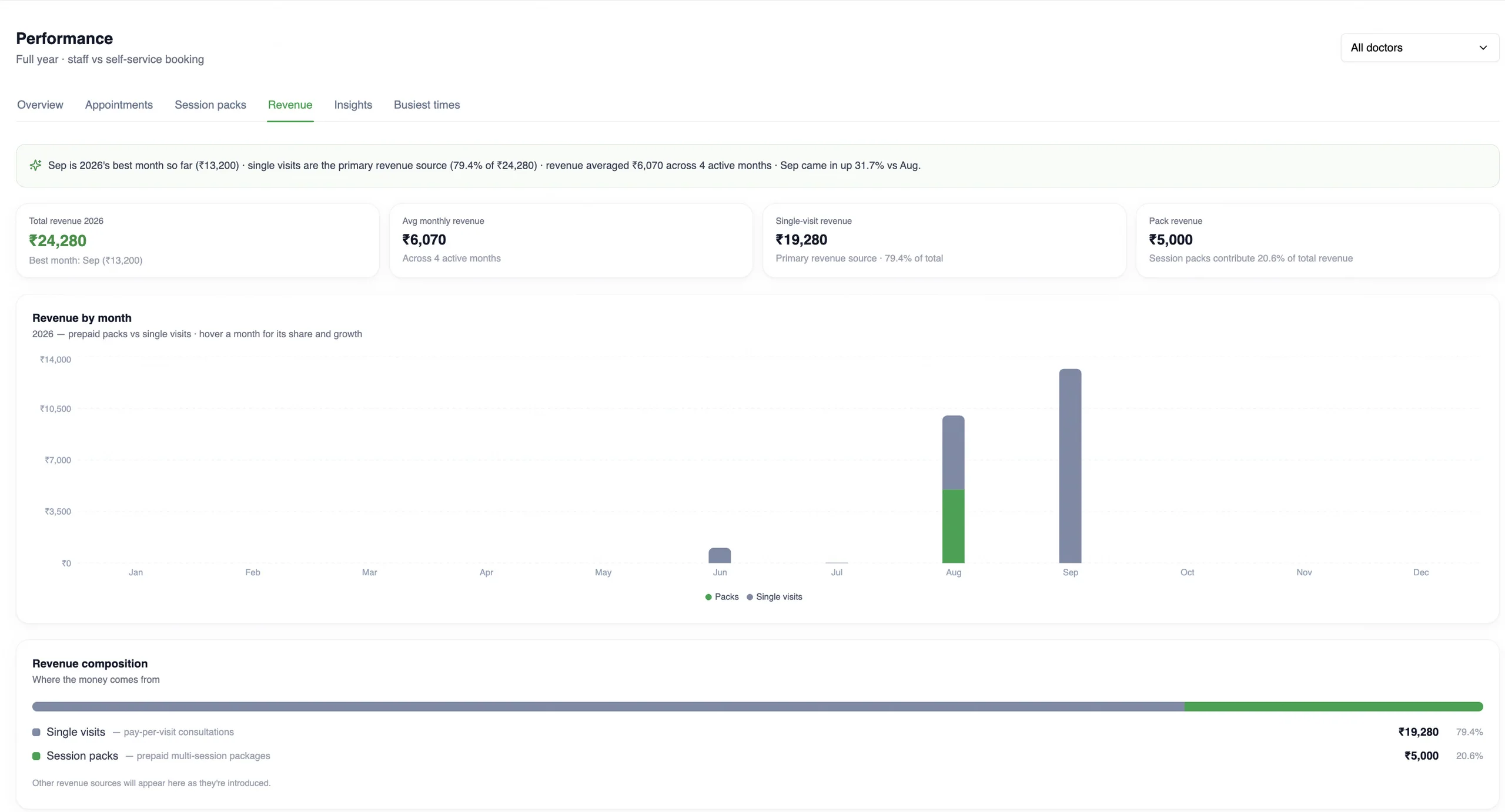
- Revenue, by month and by source
- Revenue collected and outstanding, month by month, split between prepaid session packs and single visits.
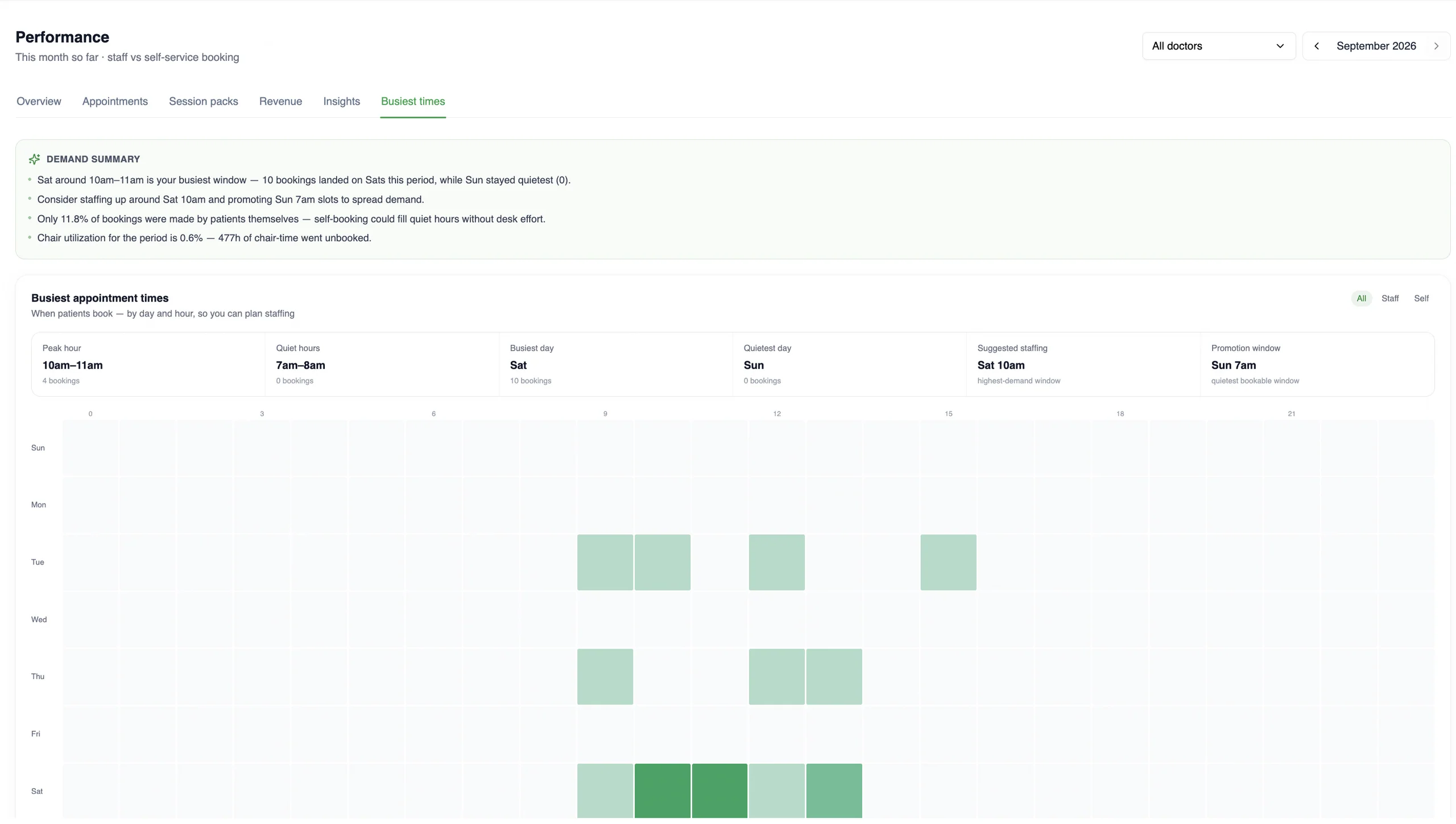
- Busiest times
- When patients actually book, by day and hour, with the peak hour, quiet hours and a suggested staffing window.
Specialties
One platform. Different ways of practising.
A dental clinic, a physiotherapy practice, a psychologist and a multi-specialty team do not run the same day. MedOS follows the workflow rather than asking the practice to change it.
See all specialtiesDental clinic
Chair time, multi-visit treatment plans, and a front desk that runs the day.
MedOS adapts: Practitioner-level scheduling, the appointment board and queue at reception, payment on every visit.
Physiotherapy practice
Care is a programme of eight or ten visits, usually paid for as one.
MedOS adapts: Session packs, visits booked against the pack, expiring packs surfaced in Performance.
Psychologist
Recurring weekly sessions, many of them online, with strict privacy expectations.
MedOS adapts: Google Meet links on confirmation, role-based access to notes, discreet WhatsApp reminders.
Multi-specialty team
Several practitioners, departments, sometimes several locations, one reception.
MedOS adapts: Roles and permissions, per-location pricing and currency, one board across everyone.
Customers
Practices that run on MedOS.
Most software ignores how therapy actually works. With MedOS I sell prepaid session packs upfront, so patients commit to the full programme and payment is in before the first appointment. It tracks every remaining session for me.
Dr. Shivangi Gupta
Mental health therapy · The Mind Veda · New Delhi
themindveda.comMy homeopathy practice runs on long-term follow-ups, and MedOS keeps every patient's history and repeat visits in one place. Records I used to dig through registers for are now a search away.
Dr. Neeraj Gupta
Homeopathy · Gupta Computerised Homeopathy Clinic · New Delhi
Physiotherapy is a course of sessions, not a single visit. MedOS lets us sell the programme upfront, book every session against it and see what is left, so patients stay on track and the front desk stops chasing payments.
PT. Ritesh Sajol
Musculoskeletal physiotherapy · Movement Physio & Fitness · Phnom Penh, Cambodia
movementphysiofitness.comPractices running on MedOS, in their own words. We publish only what a practice has agreed to say, and nothing we cannot stand behind.
Security
Healthcare data deserves serious infrastructure.
Patient records, payment details and staff access are handled the way a practice would expect from infrastructure, and described here only as they actually are.
- Encrypted in transit
- Every patient, staff and integration request runs over TLS.
- Access by role and permission
- Admin, doctor, staff, allied professional, pharmacist and pharmacy assistant roles, with permissions enforced on every screen and route.
- Payments processed by Razorpay
- A PCI-DSS compliant provider handles online checkout. Card details are never stored on MedOS.
- Money settles in your account
- MedOS stores your gateway credentials, not your funds. Nothing is held on the way to you.
- Patient sessions are scoped
- Patient self-service is OTP-verified, tied to one phone number and one clinic, and it expires.
- Only what is true
- Certifications will be listed here when they are held, not before.
Pricing
Flat prices for solo and group practices. A conversation for enterprise.
No commission on payments, no per-booking charge, no setup fee. Every feature can be added to any plan, so plans are customised around what your practice needs. 14-day free trial, no credit card, cancel any time. Pay monthly, or yearly for two months free. Prices exclude 18% GST.
Prices in US dollars. 18% GST is added on the invoice.
Solo practitioner
One doctor and the people who run the desk: 1 doctor, 1 staff, 1 admin.
USD
per month
Run your practice with:
- Booking widget, link and QR
- Patient records, notes and prescriptions
- Appointment board and queue
- Payment recorded on every visit
- WhatsApp reminders
- Google Meet teleconsultation
- Google Calendar sync
- Session packs and clinic QR payments
- Any other feature, added to your plan
Group practice
Several practitioners under one roof, on one board: 3 doctors, 1 staff, 1 admin. Add a practitioner for $7 a month.
USD
per month
Everything in solo, plus:
- Three practitioners, one front desk and one admin
- Add a practitioner for $7 a month
- One appointment board across practitioners
- Shared patient records and care team
- Roles and permissions
- Performance by practitioner or for the whole practice
Enterprise
Hospitals, multi-specialty groups and clinic networks: departments, locations and onboarding done with you.
for hospitals
and networks
Everything in group practice, plus:
- Departments and multiple locations, one board
- Per-location pricing and currency
- A plan customised to your requirements
- Priority onboarding and support