Payments
Collect payment the way your clinic already does, and keep it on the record.
Online through Razorpay, or with the payment QR your clinic already has at reception. Both are part of the same patient payment step, and both settle in the clinic’s own account.
Most clinics in India already collect on a UPI QR at the desk. Clinic billing software that ignores that forces a second process. MedOS shows your own QR at the patient’s payment step, and the visit stays pending until staff confirm the money arrived. MedOS displays the QR; it does not verify the scan, so a claim never counts as a payment on its own.
Patients who prefer to pay at booking can check out with Razorpay by card, UPI or netbanking, and the visit is marked paid the moment Razorpay confirms it. MedOS stores your gateway credentials, not your money. Either way the payment sits on the visit and on the patient record, and the outstanding balance shows on the record until it is collected.
What you get
- Your QR, uploaded once
- Add the clinic’s payment QR or UPI ID in settings. Patients see it at the payment step.
- Staff verify
- A visit paid by QR stays pending until the front desk marks it paid.
- Razorpay online
- Card, UPI or netbanking at booking, with instant confirmation.
- Balance on the record
- Every visit carries its payment and an invoice note, and the outstanding balance stays on the record. Pharmacy invoices with GST and HSN come with inventory, on any plan.
Payments
Collect payment the way your clinic already does.
Online through Razorpay, or with the payment QR your clinic already has at reception. Both are part of the same patient payment step, and both settle in the clinic’s own account.
Card, UPI or netbanking, at booking.
The patient chooses to pay online and completes checkout with Razorpay. The visit is marked paid the moment Razorpay confirms it. MedOS stores your gateway credentials, not your money.
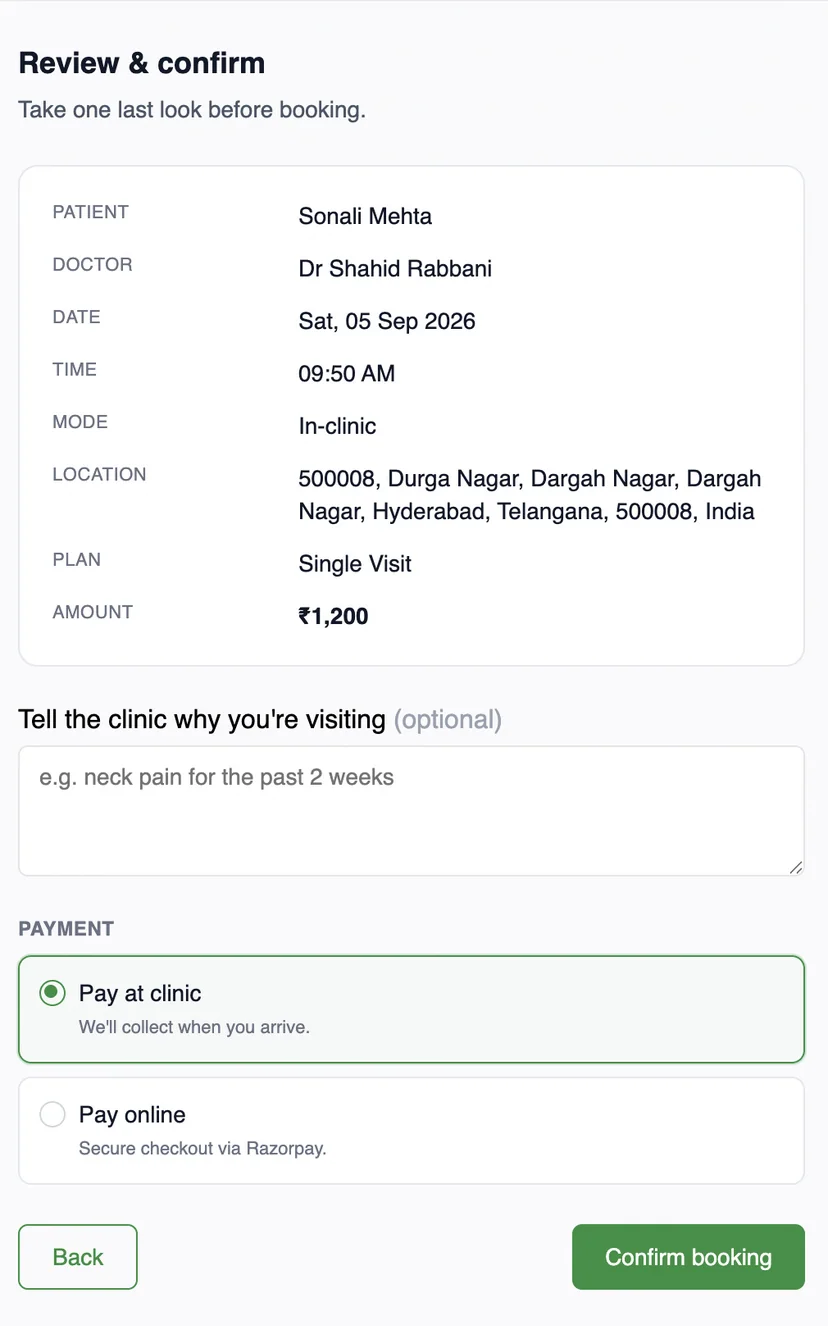
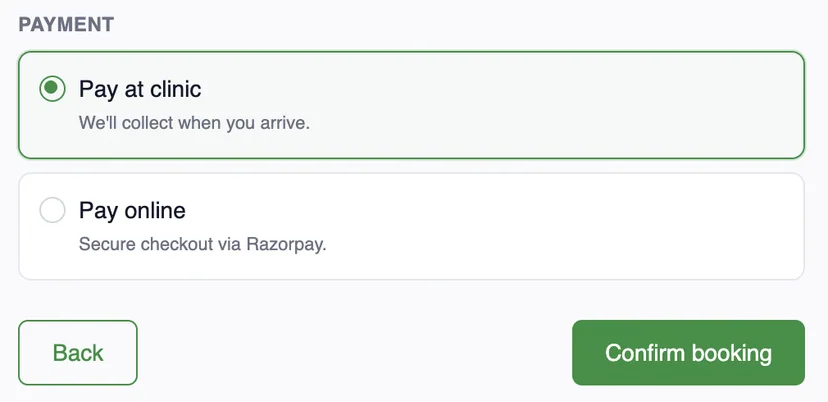
Upload once. Patient pays. Staff verify.
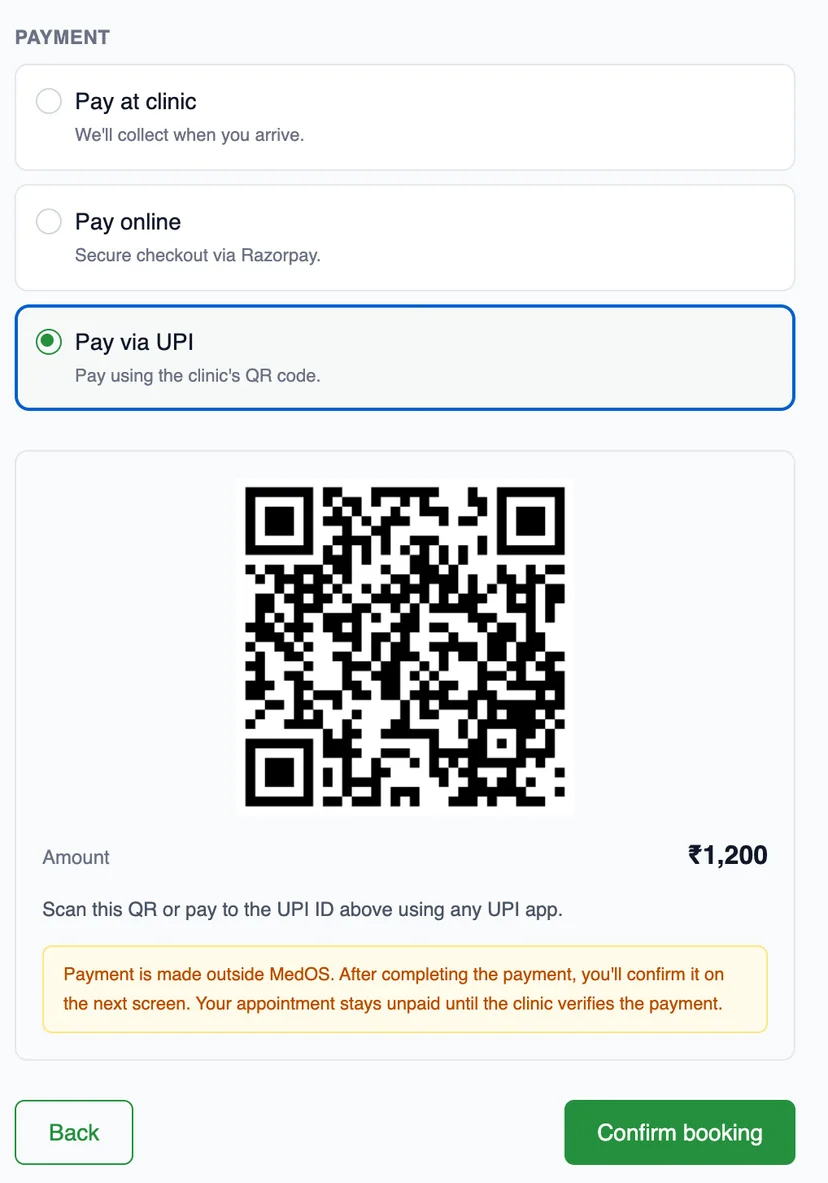

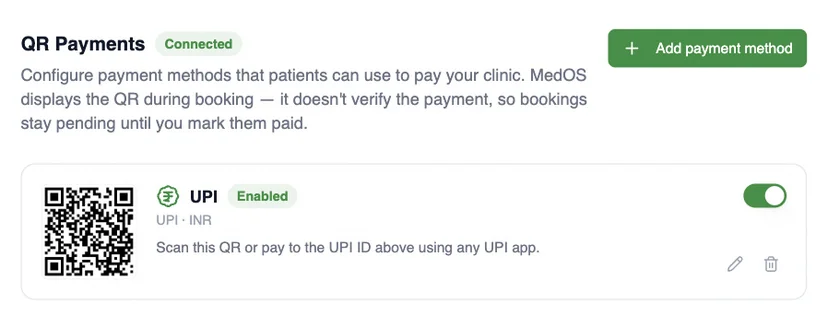
MedOS displays the QR. It does not verify the scan. The visit stays pending until staff mark it paid.
- 01Upload
Add your clinic’s payment QR or UPI ID once, in settings.
- 02Patient pays
Patients scan it at the payment step with any UPI app and confirm.
- 03Staff verify
The front desk marks the visit paid once the money has arrived.
Works with
- Session packs
Rehab, therapy and wellness happen over a course of visits, not one appointment. MedOS treats the programme as the unit.
Read more - Patient records
Visits, last seen, next appointment, outstanding balance, notes, prescriptions and activity, on one record. Nothing is re-entered at the desk.
Read more - Multi-location
Run locations anywhere in the world, each in its own timezone and currency. Bill international patients in US dollars. Keep the whole practice on one MedOS workspace.
Read more