Multi-specialty and hospitals
One board across every practitioner, department and location.
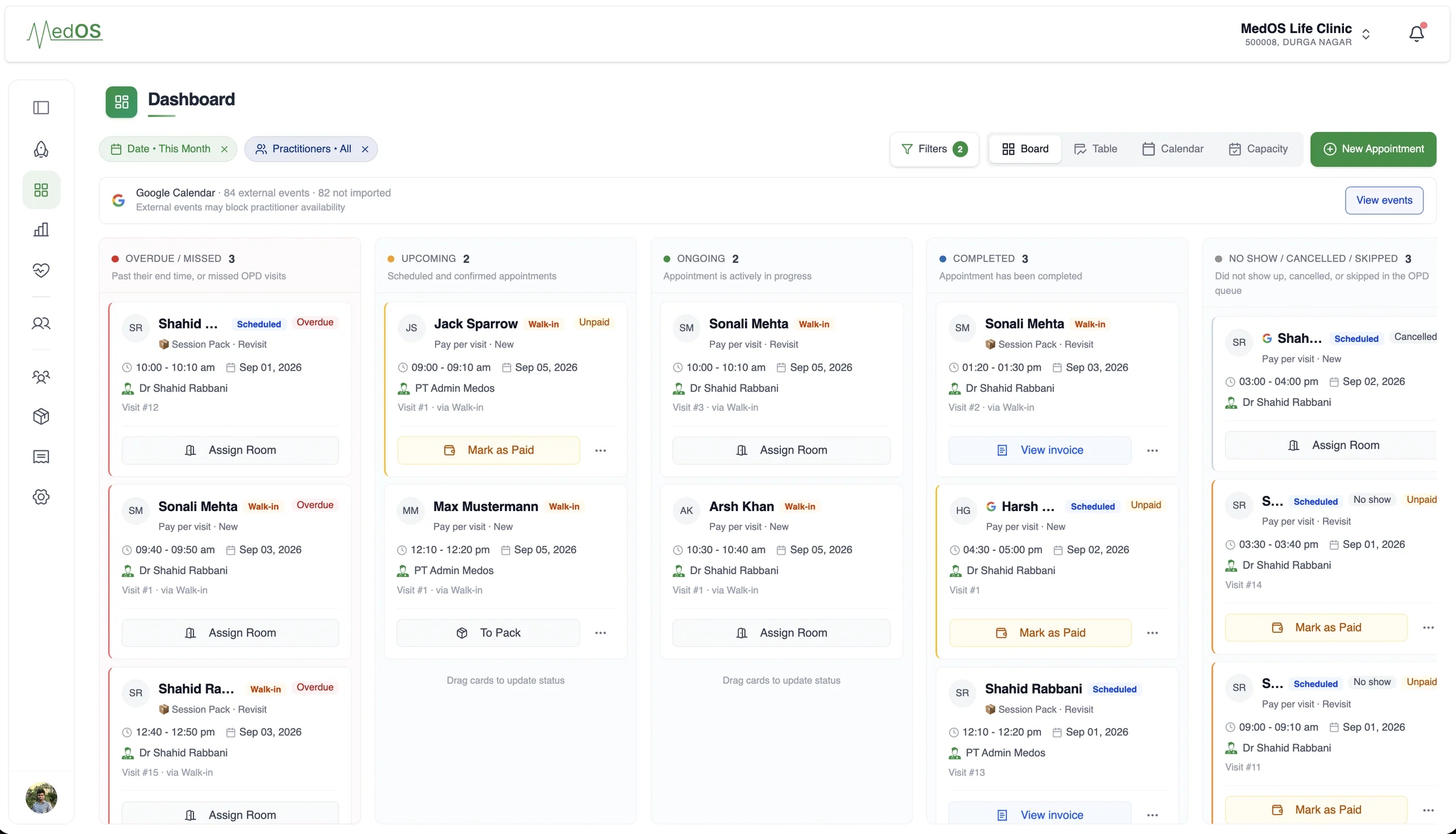
Several practitioners, departments, sometimes several locations, one reception. MedOS keeps them on one board and one record, with permissions that match the roles.
A multi-specialty practice is several practices sharing a front desk. Each department has its own practitioners, fees and hours; the desk has to see all of them at once; the owner has to see how each part is doing. MedOS runs this as one workspace: every practitioner on the same board, every patient on one record, every department’s fees and every location’s timezone and currency configured as settings.
Roles and permissions are enforced on every screen, so reception, doctors, allied professionals, pharmacists, pharmacy assistants and admin each see what their role allows. Practice performance filters to one practitioner or the whole practice. Onboarding is done with you, and pricing is built around your practitioners, departments and locations.
Several practitioners, departments, sometimes several locations, one reception.
Roles and permissions, per-location pricing and currency, one board across everyone.
A day on MedOS
How a multi-specialty team runs on MedOS.
- 01One board
Every practitioner and department, filtered as needed, with rooms and payment state.
- 02One record
A patient seen by two departments has one history, not two files.
- 03Roles
Admin, doctor, staff, allied professional, pharmacist and pharmacy assistant roles with permissions on every route.
- 04Locations
Each site keeps its own timezone, fees and currency on the same workspace.
A snapshot of your entire practice.
Locations and markets
Go global with MedOS.
Run locations anywhere in the world, each in its own timezone and currency. Bill international patients in US dollars. Keep the whole practice on one MedOS workspace.
- Any timezone
- Each location keeps its own timezone. Appointments, reminders and the board show the time that is local to it.
- Local currency per location
- Each location sets its own fees and bills in its own currency. Invoices and the patient payment step follow it.
- International patients in US dollars
- Patients booking from outside a location’s country are quoted and billed in USD, so the price is clear before they confirm.
- One workspace
- Practitioners, patients, the board and the records stay together. Locations are a setting, not a separate system.
- INMumbaiAsia/Kolkata · INR₹1,200Configured
- AEDubaiAsia/Dubai · AEDAED 250Configured
- GBLondonEurope/London · GBP£120Configured
- $International patientsOutside the location’s countryUSDBilled in dollars
- Practitioners
- shared
- Patients
- one record
- Board
- across locations
Performance
Know what is happening in your practice.
A practice owner shouldn’t have to piece together bookings, attendance, revenue and follow-up to understand how the practice is doing. MedOS brings the operational picture into one place, so decisions are based on what is actually happening.
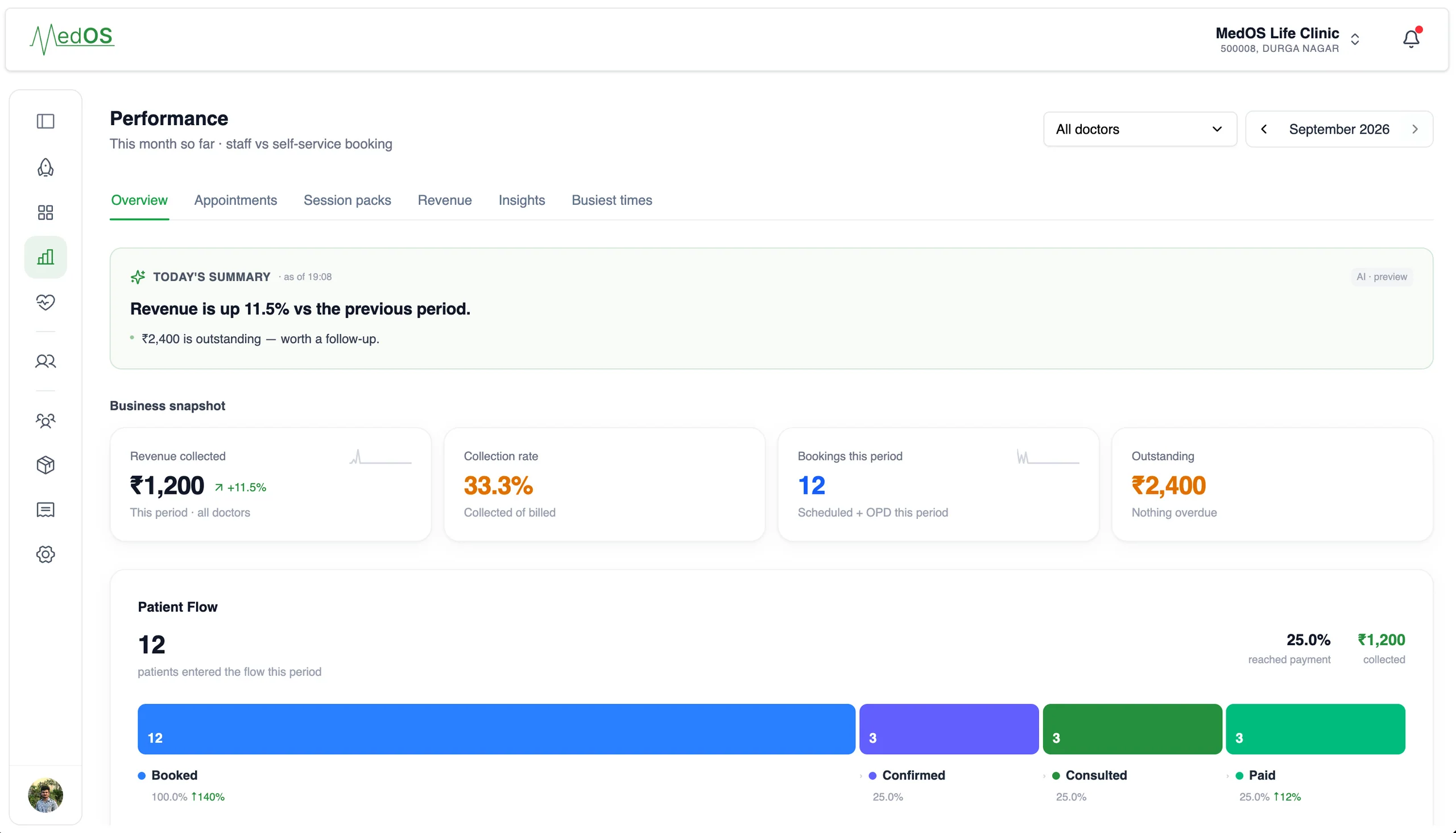
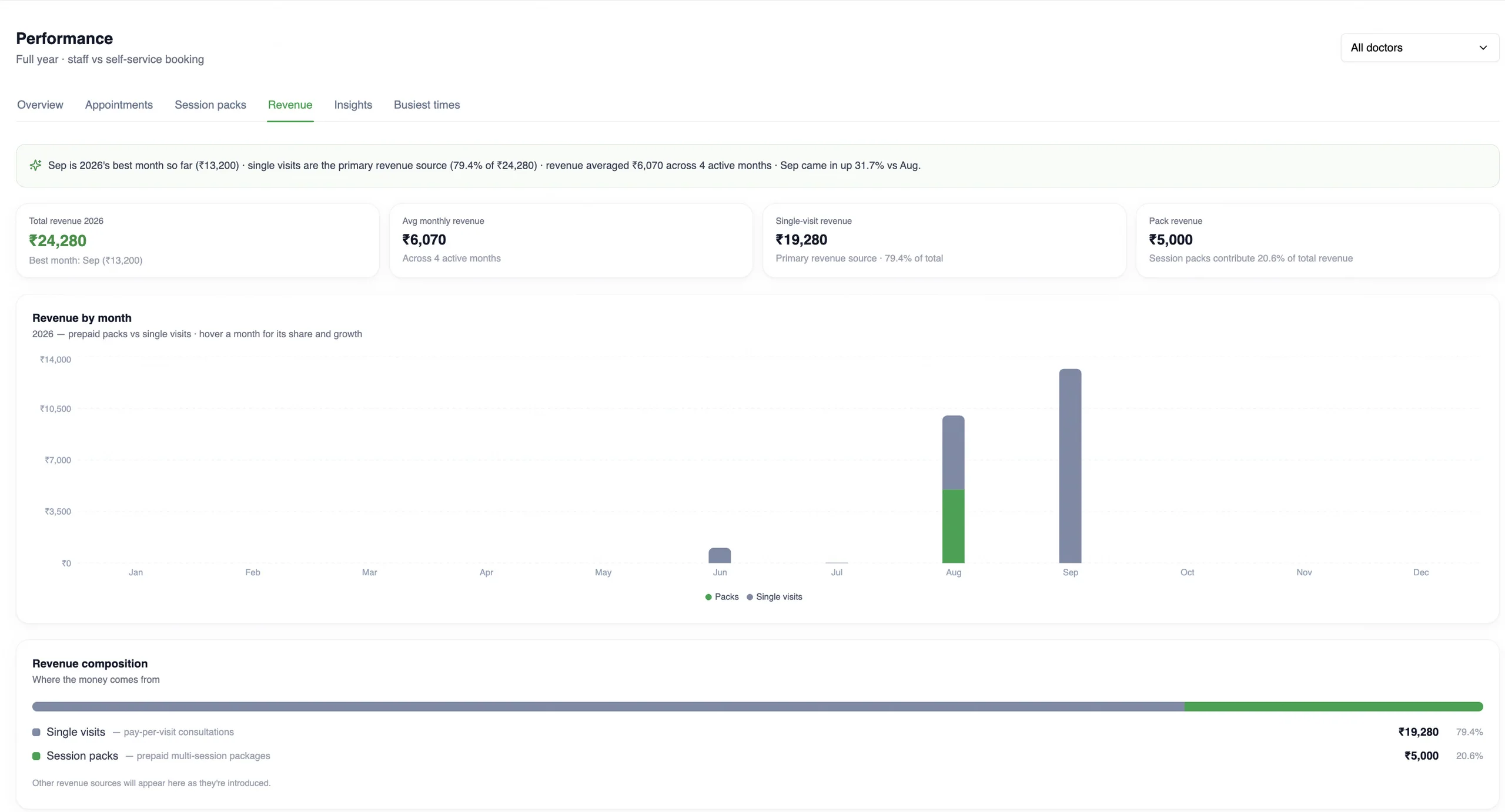
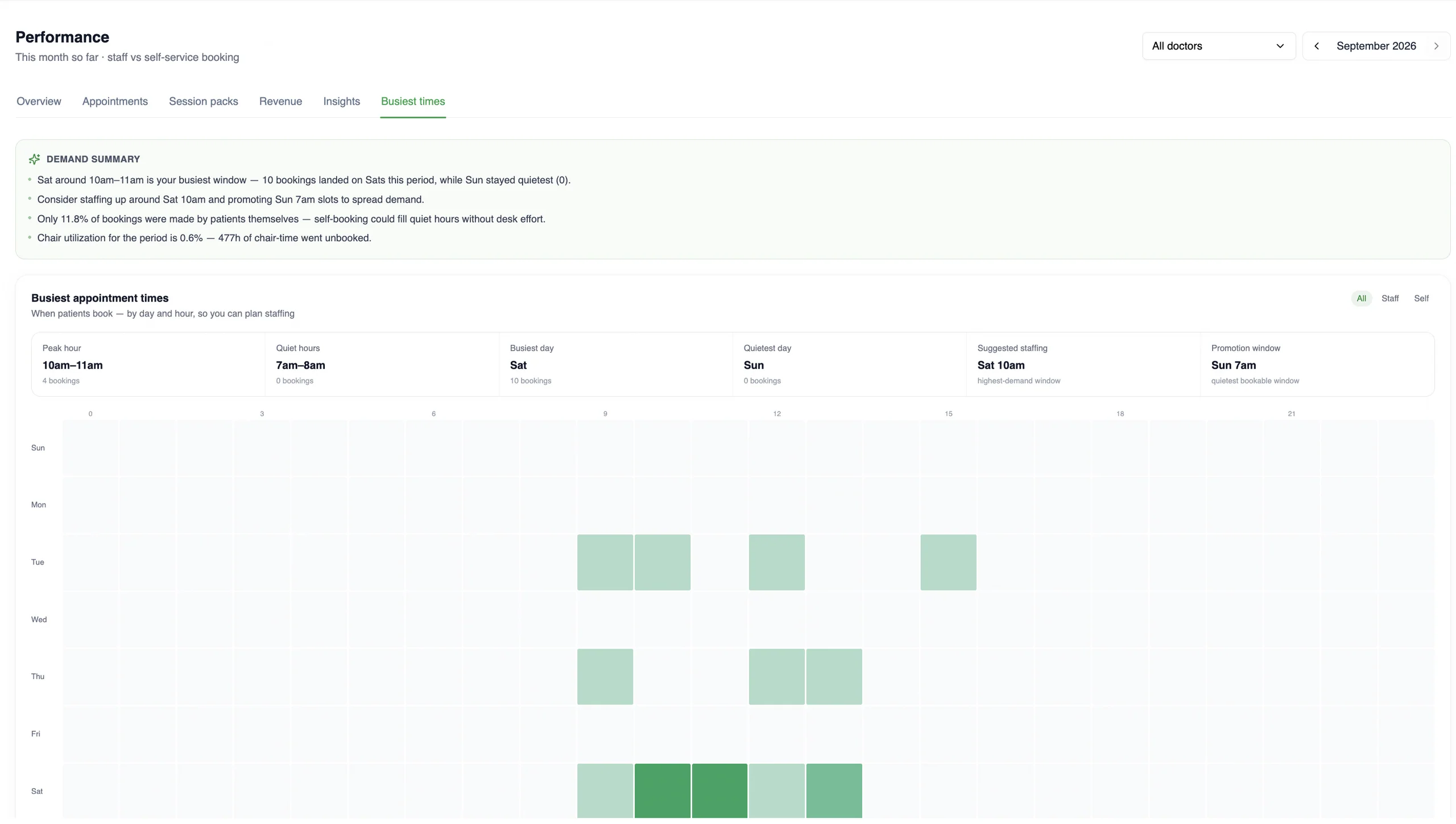
This month so far: today’s summary, revenue collected, collection rate, bookings and the patient flow from booked to paid.
- Bookings and attendance
- Bookings this period, staff versus self-service, and the patients who confirmed, consulted and paid.
- Revenue, by month and by source
- Revenue collected and outstanding, month by month, split between prepaid session packs and single visits.
- Busiest times
- When patients actually book, by day and hour, with the peak hour, quiet hours and a suggested staffing window.
Features multi-specialty teams lean on
- Appointment board
Overdue, upcoming, ongoing and completed, per practitioner, with payment state on every card. The board is the front desk’s single screen.
Read more - Multi-location
Run locations anywhere in the world, each in its own timezone and currency. Bill international patients in US dollars. Keep the whole practice on one MedOS workspace.
Read more - Practice performance
A practice owner should not have to piece together bookings, attendance, revenue and follow-up to understand how the practice is doing.
Read more - Patient records
Visits, last seen, next appointment, outstanding balance, notes, prescriptions and activity, on one record. Nothing is re-entered at the desk.
Read more