Google Calendar
Clinic scheduling that stays in sync with Google Calendar, both ways.
Connect the Google account your practice already uses, and let each practitioner connect their own. Appointments go out, busy events come in, and anything changed in Google is flagged for a decision.
Practitioners live in Google Calendar. Practices that adopt clinic software and then keep typing every appointment into Google as well end up with two calendars that disagree. MedOS treats Google Calendar as part of the system, through two connections that do different jobs.
The workspace connection is outbound: every appointment made in MedOS is written to the practice’s Google Calendar, rescheduled and cancelled with it, and carries a Google Meet link when the visit is online. Each practitioner’s own connection is inbound and read-only: their busy events, a hospital round or a personal block, are imported into MedOS and take the slot out of availability, so patients only see times that are actually free. When an event is moved or removed in Google, MedOS lists it for review and keeps the appointment’s original time until someone decides.
What you get
- Out to Google
- MedOS appointments appear on the workspace Google Calendar, updated on reschedule, removed on cancel.
- Busy events in
- Each practitioner connects their own account, read-only. Their busy events block slots in MedOS.
- Meet links included
- Online appointments get a Google Meet link on the calendar event and in the confirmation.
- Attention, not automation
- Events changed or removed in Google are listed for review rather than silently moving the visit.
Google Calendar
Your calendar and MedOS stay in sync.
Connect the Google account your practice already uses, and let each practitioner connect their own. Appointments go out to Google, busy events come in to block availability, and anything changed in Google is flagged for a decision, which prevents double bookings and the duplicate typing that comes with running two calendars.
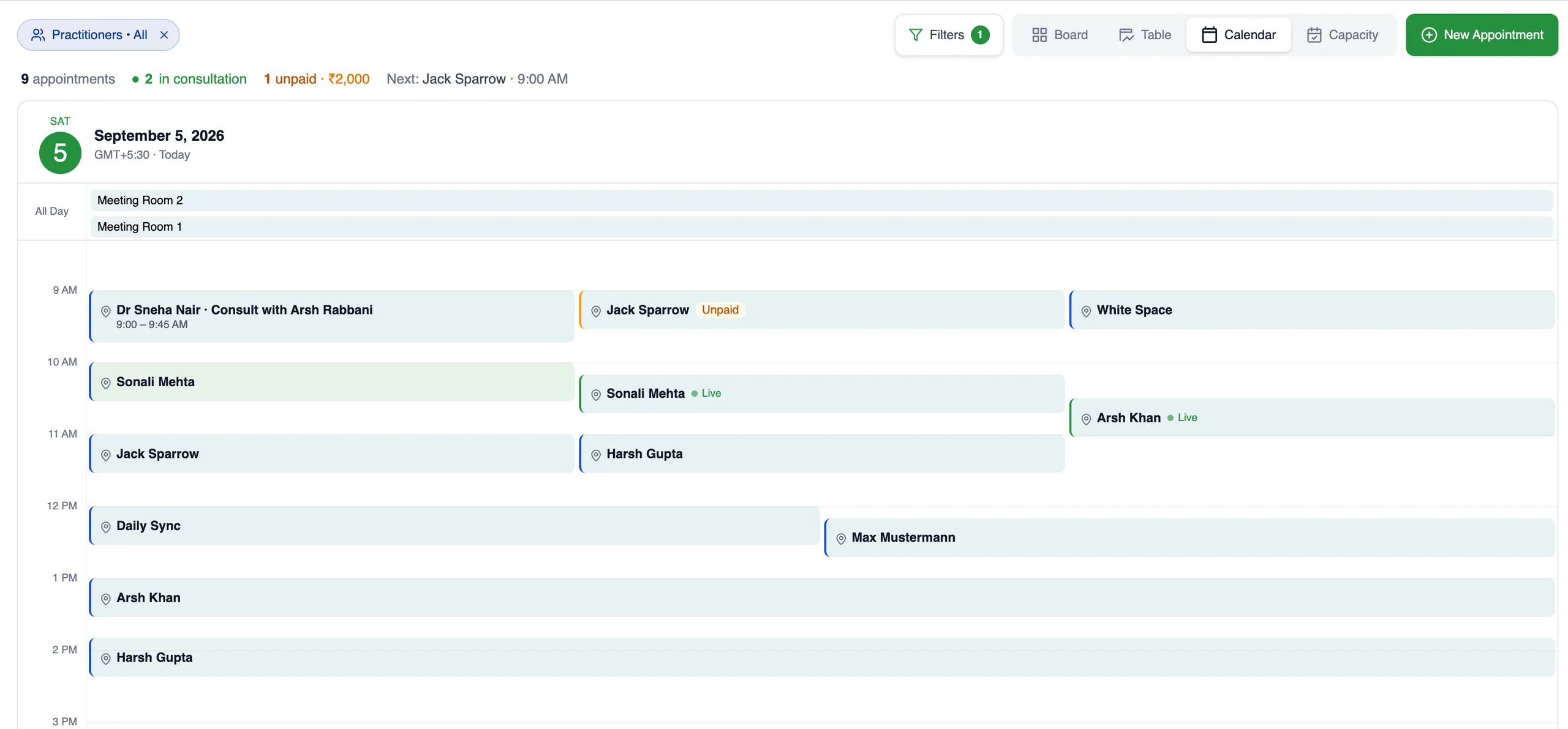
Each practitioner connects their own Google account, read-only, so their busy events block availability. Appointments reach Google through the workspace account.
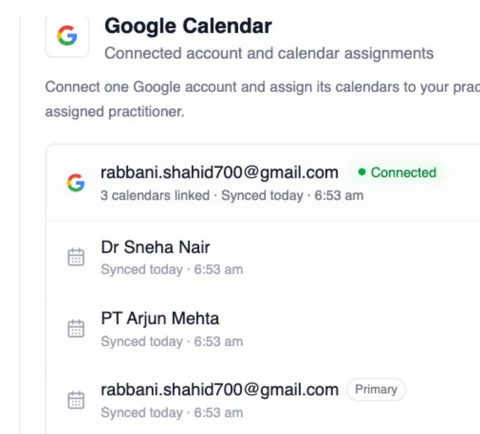
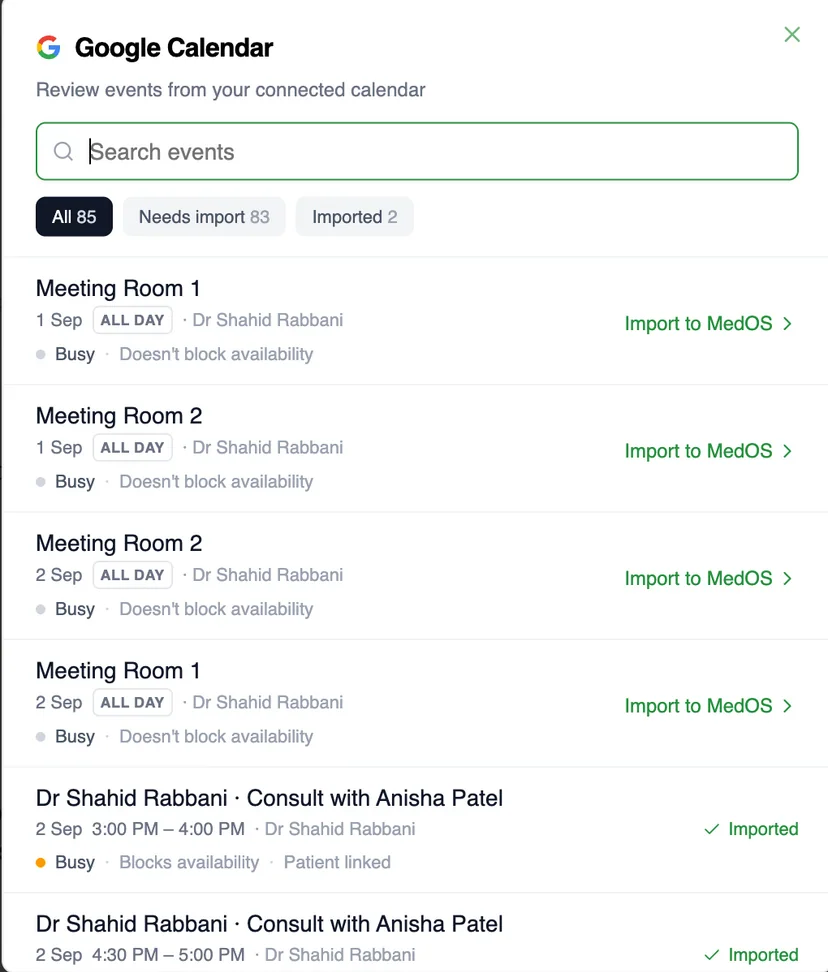
One workspace account for the practice. One read-only connection per practitioner.
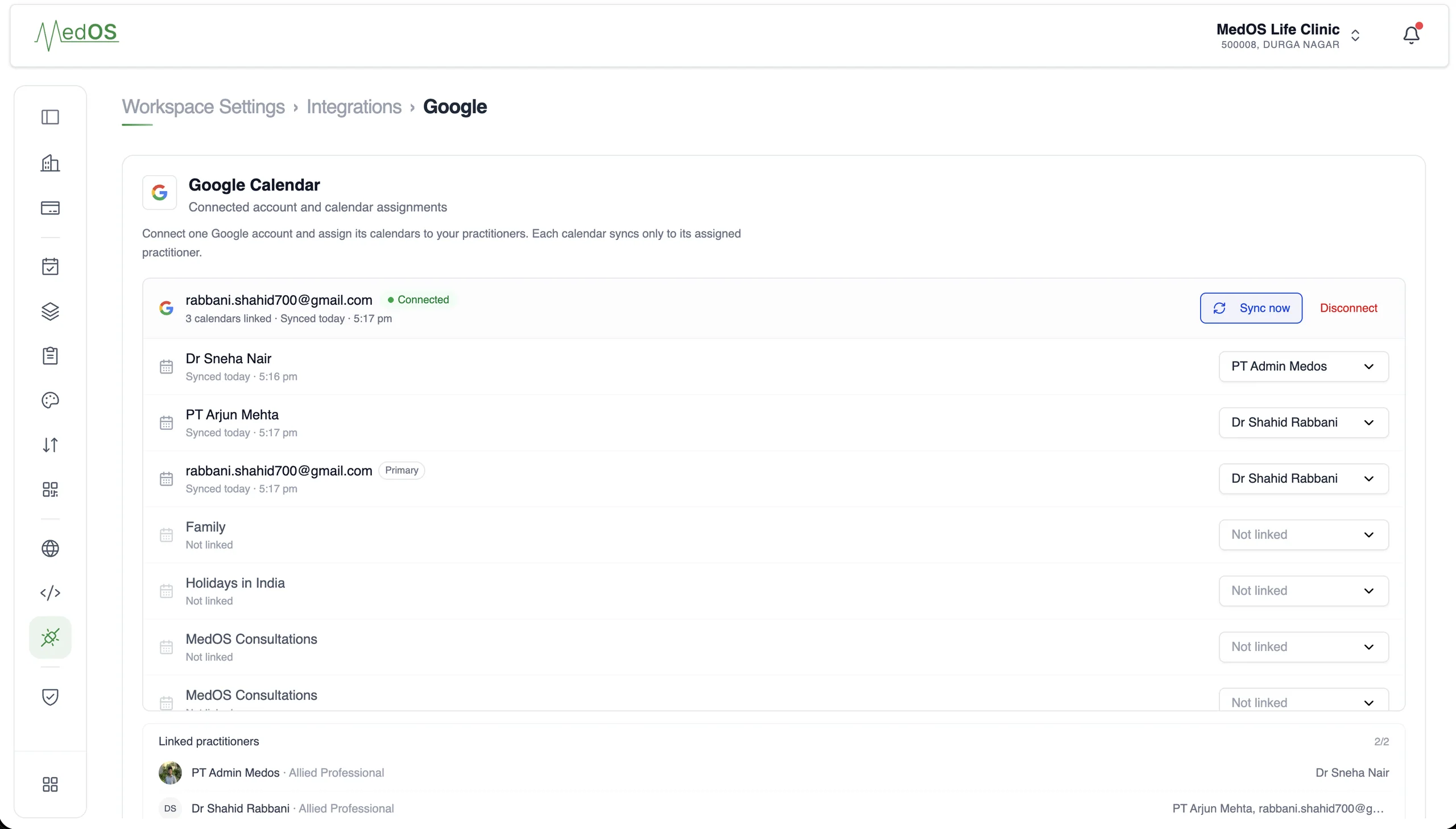
- Two connections
- A workspace account sends appointments out to Google. Each practitioner connects their own Google account, read-only, so their events come in.
- Availability
- Events on a practitioner’s Google Calendar block their availability in MedOS, so patients only see slots that are actually free.
- Appointments
- Appointments made in MedOS appear on the workspace Google Calendar, with the patient invited when you switch that on.
- Updates
- Rescheduled and cancelled appointments update the Google event. Nobody types the same visit twice.
- Attention state
- If an event is moved or removed in Google, MedOS marks the appointment for a decision. It keeps its original time until someone chooses.
Works with
- Appointment board
Overdue, upcoming, ongoing and completed, per practitioner, with payment state on every card. The board is the front desk’s single screen.
Read more - Online booking
A patient books from your website, a shared link or a QR at the door. The booking lands in the upcoming column of the board with nothing re-typed at the desk.
Read more - Multi-location
Run locations anywhere in the world, each in its own timezone and currency. Bill international patients in US dollars. Keep the whole practice on one MedOS workspace.
Read more